

How Tuner fits into your workflow
1
Simulate
Test your agent with Call Simulation before launch and after every change. The evals that score production calls also score every simulated call.
2
Observe
Every call arrives with its transcript, per-turn timing, tool calls and eval results. Open a call in Call Logs to see what happened.
3
Monitor
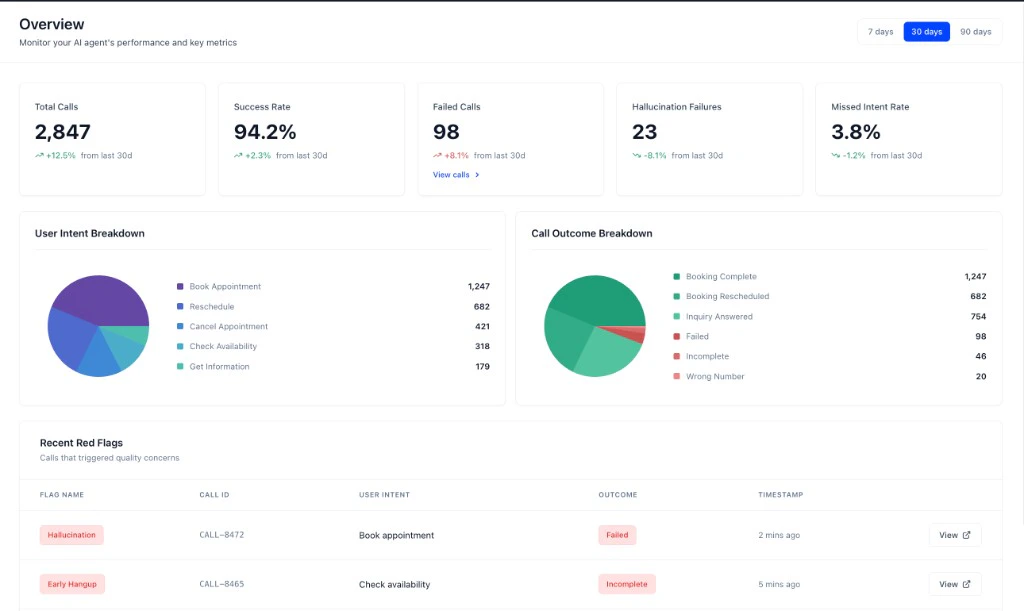
Track performance on the Overview dashboard, and get alerts when a condition you define is met.
4
Improve
Fix the agent, check the fix against production data, and simulate again to catch regressions. Diagnose with MCP looks for root causes across every affected call.
Three ways to connect
Retell, Vapi, ElevenLabs and Dograh
Guided setup in the dashboard. Retell, Vapi and ElevenLabs connect with your platform key; Dograh uses the Tuner node in your workflow.
SDKs
LiveKit, Pipecat, or your own Python stack. The SDK records per-turn timing and latency for each pipeline stage.
Direct API
Any language. You build the call payload and send it after the call ends.
Core concepts
Each concept links to the page that covers it.
Every other term is in the Glossary.
Next steps
Quickstart
Create an agent and get your first call evaluated.
API keys and IDs
The three values every SDK, API and MCP integration needs.