

What Are Red Flags?
A red flag is a tag that Tuner automatically applies to calls that exhibit critical issues. These are surfaced in the Recent Red Flags section of the Overview dashboard. Common red flags include:- Hallucination: The agent provides incorrect or fabricated information.
- System Prompt Compliance Failure: The agent violates the rules or constraints defined in its system prompt.
- Missed Intent: The agent fails to understand the user’s primary intent.
- High Negative Sentiment: The user expresses significant frustration or dissatisfaction.
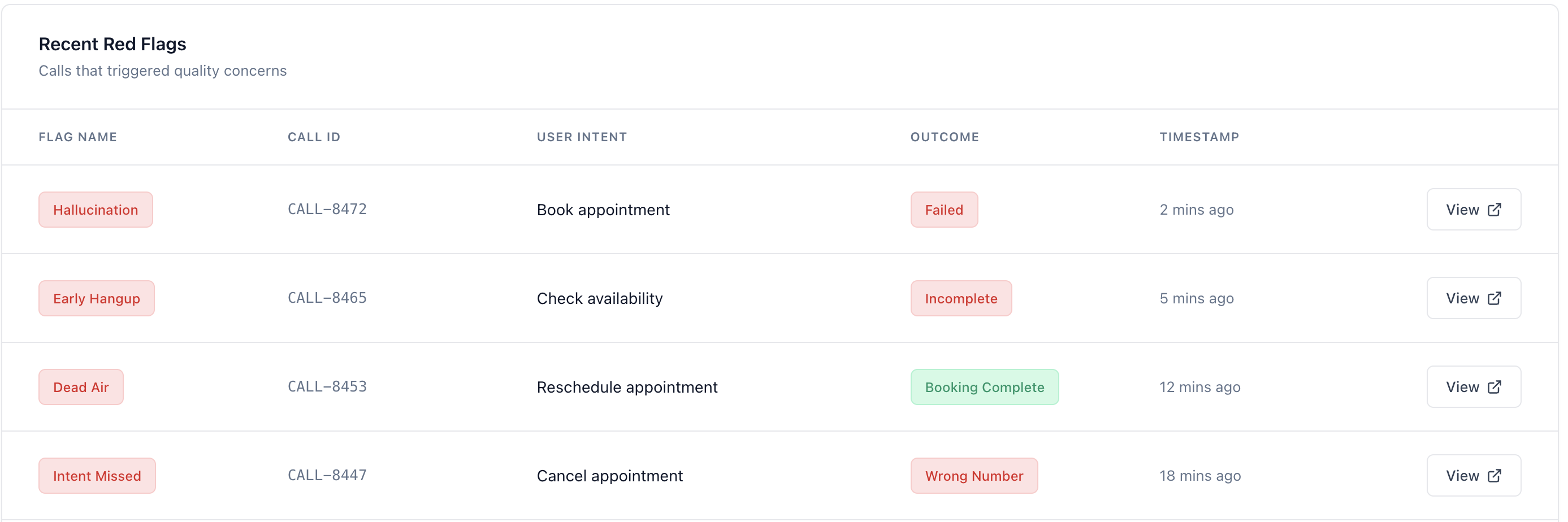
How to Use Red Flags for Triage
The Recent Red Flags section on the Overview dashboard is your starting point for issue triage.Prioritize by Type
Focus on the most critical red flags first. Hallucinations and system prompt compliance failures are usually the highest priority, as they indicate a fundamental problem with your agent’s behavior.
Investigating a Red Flag
Once you’re in the Call Details view, use the following tools to investigate the issue:- Transcript: Read the conversation to understand what happened.
- Events: Review the sequence of events to identify where things went wrong.
- Metrics: Check the call metrics for anomalies, such as long silences or high crosstalk.
Diagnose Your Agent
Find the root cause behind recurring red flags across all your calls.
Next Steps
Learn how to perform a detailed root cause analysis on a single call.Performing a Root Cause Analysis on a Single Call
A step-by-step guide to performing a deep-dive analysis of a single call to uncover the root cause of an issue.