

Documentation Index
Fetch the complete documentation index at: https://docs.usetuner.ai/llms.txt
Use this file to discover all available pages before exploring further.
For an overview of how simulation works, see Introduction to Call Simulation.
Prerequisites
- A Vapi account with an active assistant
- An agent created in Tuner with prompt and evaluation rules configured (see Connecting to Vapi)
- Tuner credits available for simulation calls
Step 1: Create a SIP Trunk in Vapi
- Log in to the Vapi dashboard.
- Go to Phone Numbers in the left sidebar.
- Click Create Phone Number → select Free Vapi SIP.
- Fill in the trunk details:
- SIP Identifier: A name for your trunk (e.g.
targettuneragent) - Label: A reference label (e.g.
testing) - Username: A SIP authentication username
- Password: A SIP authentication password
- SIP Identifier: A name for your trunk (e.g.
- Click Import SIP URI.
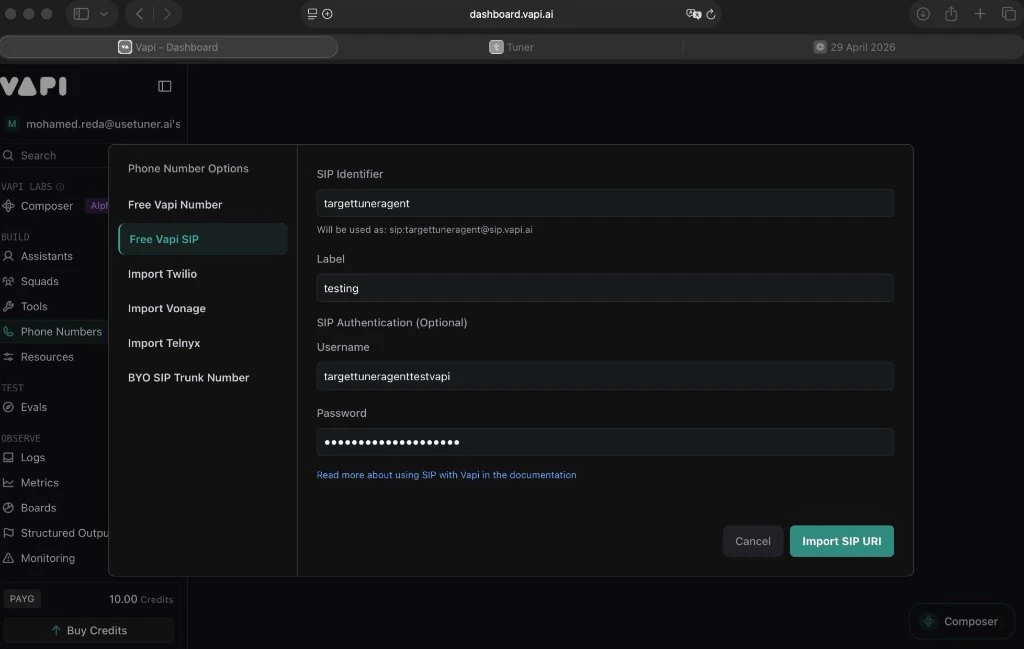
| Field | Example |
|---|---|
| SIP URI | sip:targettuneragent@sip.vapi.ai |
| Username | (the username you chose) |
| Password | (the password you chose) |
Step 2: Configure SIP in Tuner
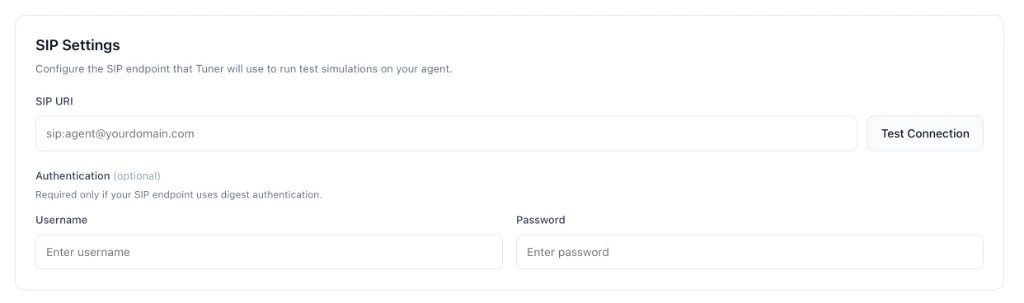
- In Tuner, go to Agent Settings → SIP Settings.
- Enter your Vapi SIP trunk details:
- SIP URI:
sip:<identifier>@sip.vapi.ai - Username: The username from Step 1
- Password: The password from Step 1
- SIP URI:
- Click Test Connection, then Save.
Step 3: Link Your Assistant to the SIP Trunk
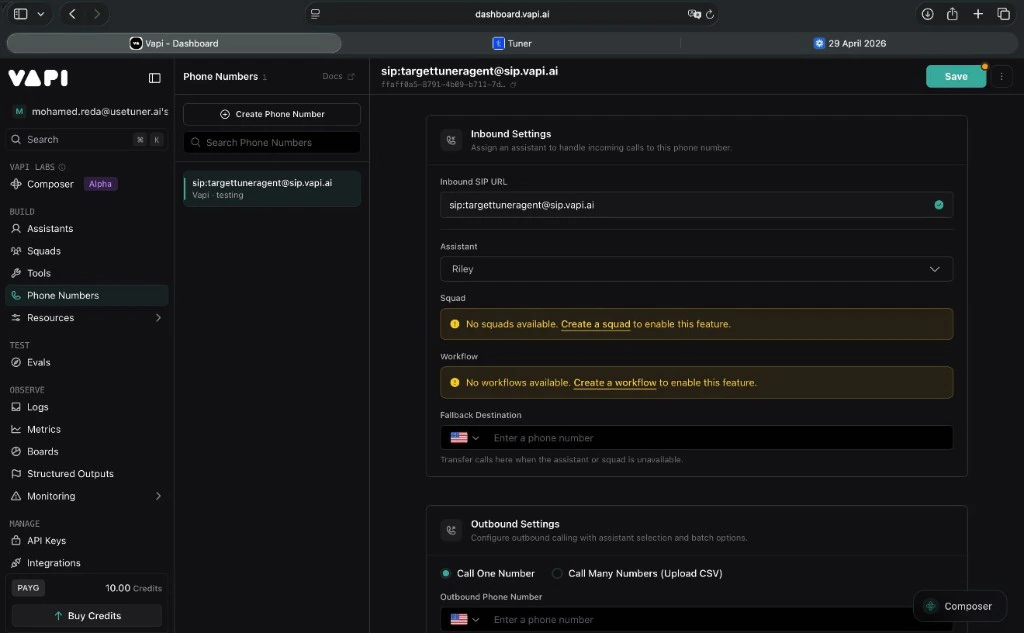
- In the Vapi dashboard, go to Phone Numbers.
- Click on the SIP trunk you created.
- Under Inbound Settings, set the Assistant field to the agent you want to test.
- Click Save.
Step 4: Run Your First Simulation
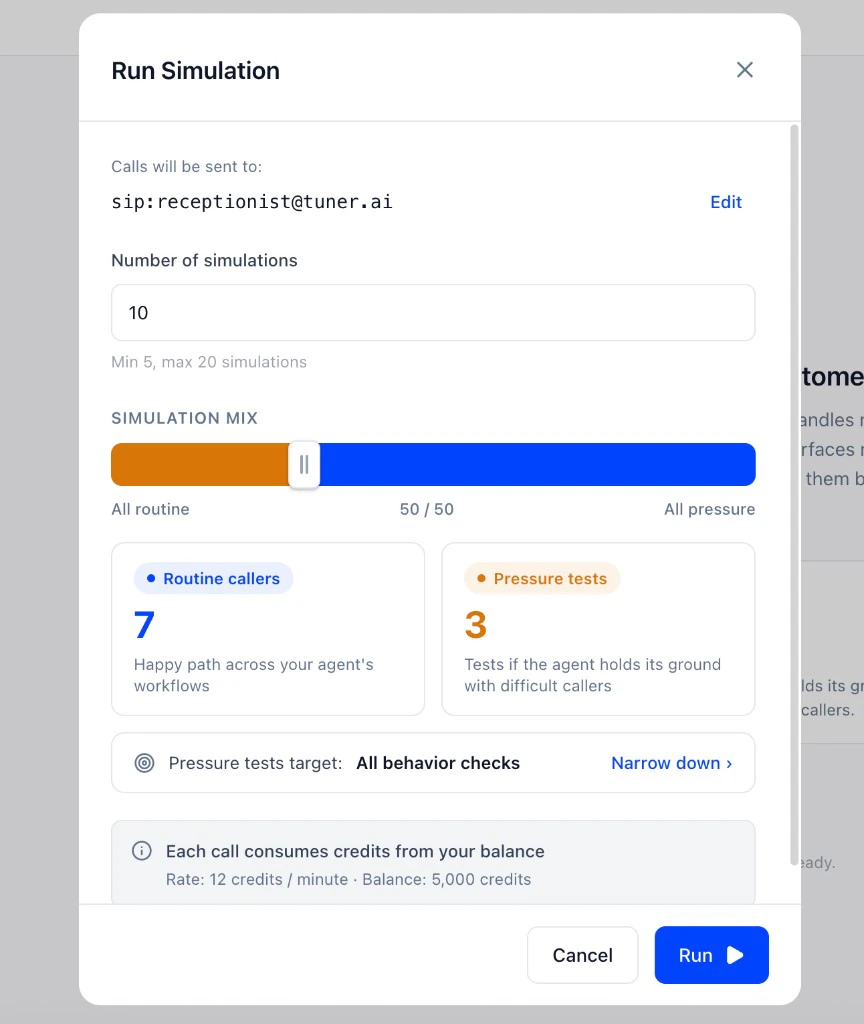
- In Tuner, open Simulations in the sidebar.
- Click Run Simulation.
- Confirm the SIP target is correct.
- Set the number of calls (5–20).
- Adjust the simulation mix (routine vs. pressure).
- Click Run.
Troubleshooting
| Symptom | Resolution |
|---|---|
| Calls fail to connect | Double-check SIP credentials in both Vapi and Tuner. Confirm the assistant is linked to the trunk (Step 3). Verify the URI format: sip:identifier@sip.vapi.ai. |
| Agent doesn’t respond | Ensure the Vapi assistant has a prompt configured, is active, and not in draft/paused mode. |
| ”Unverified” in Tuner | Re-enter credentials and click Test Connection again. Check for trailing spaces in the URI or password fields. |