

What Are Evals?
Evals are the criteria Tuner uses to judge whether your agent did the right thing on each call. They run automatically on every production call and every Call Simulation run. Tuner ships with a library of pre-built evals, including Hallucination, Missed Intent, Tool call missing, and more, but you can also define your own when you need something specific to your business:- Check for specific keywords or phrases: Did the agent mention the daily special?
- Verify a specific action was taken: Was an appointment successfully booked?
- Monitor for compliance: Did the agent read the required legal disclaimer?
Evals are separate from voice metrics (latency, talk-to-listen ratio, sentiment) and from call outcomes (Success / Failure). Outcomes tell you what happened; evals tell you whether the agent followed the rules along the way.
Open the Evals Section
1
Go to Evaluation Rules
In Agent Settings, open the Evaluation Rules tab. The Evals section lists every eval currently active on this agent, both library evals and custom ones you’ve created.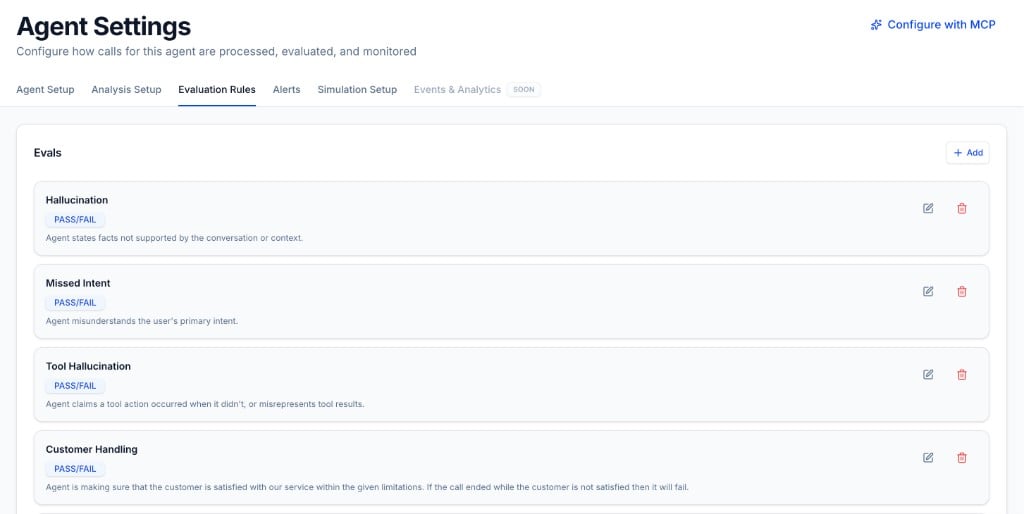
2
Click Add
Click + Add in the top-right of the Evals section. This opens the eval library, where you can browse pre-built evals or start a custom one.
Add Evals from the Library
The Add evals modal lets you pick from Tuner’s built-in library. Evals are grouped by category (Accuracy, Actions & Tools, Conversation Quality, and Safety & Compliance), and you can search or filter to find what you need.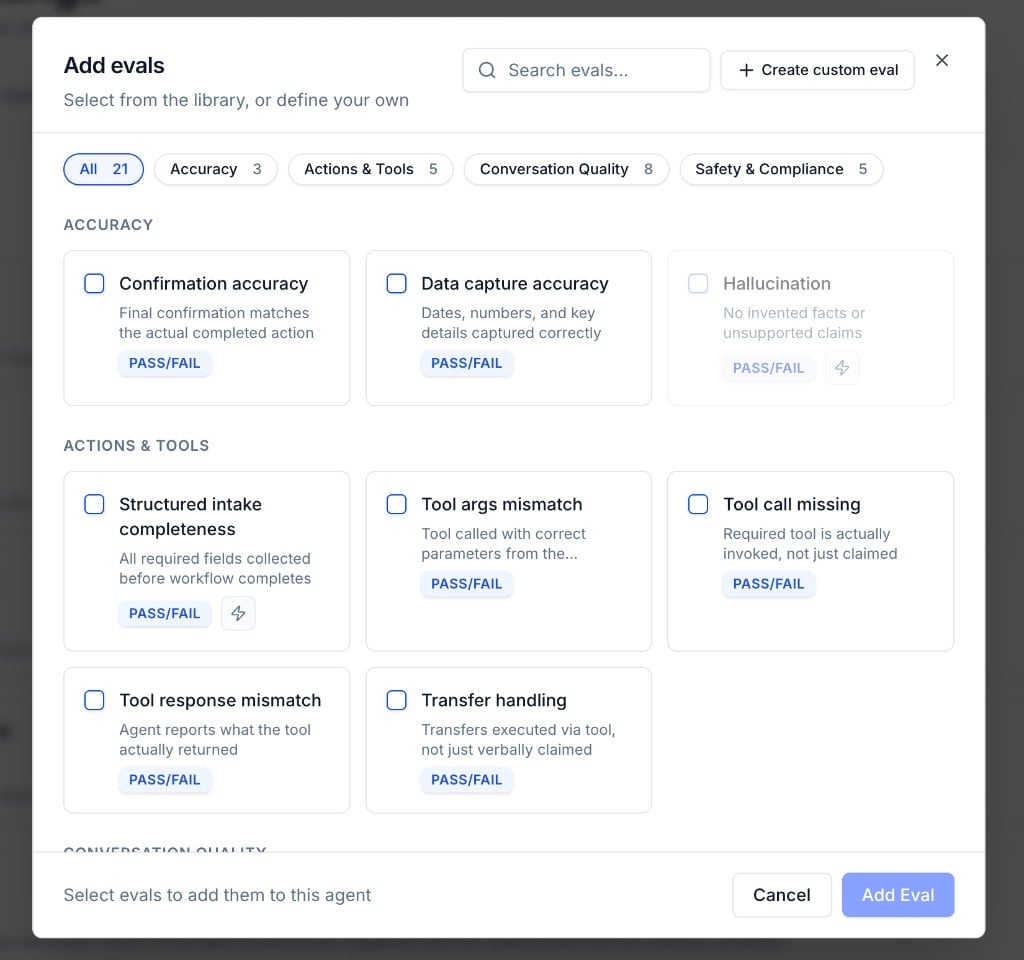
1
Browse or search
Use the category filters or the search bar to find evals that match your use case. Each card shows a short description and whether it uses Pass/Fail scoring.
2
Select and add
Check the evals you want, then click Add Eval. They appear immediately in your Evals list and start running on all future calls.
Create a Custom Eval
When the library doesn’t have what you need, click + Create custom eval in the top-right of the Add evals modal.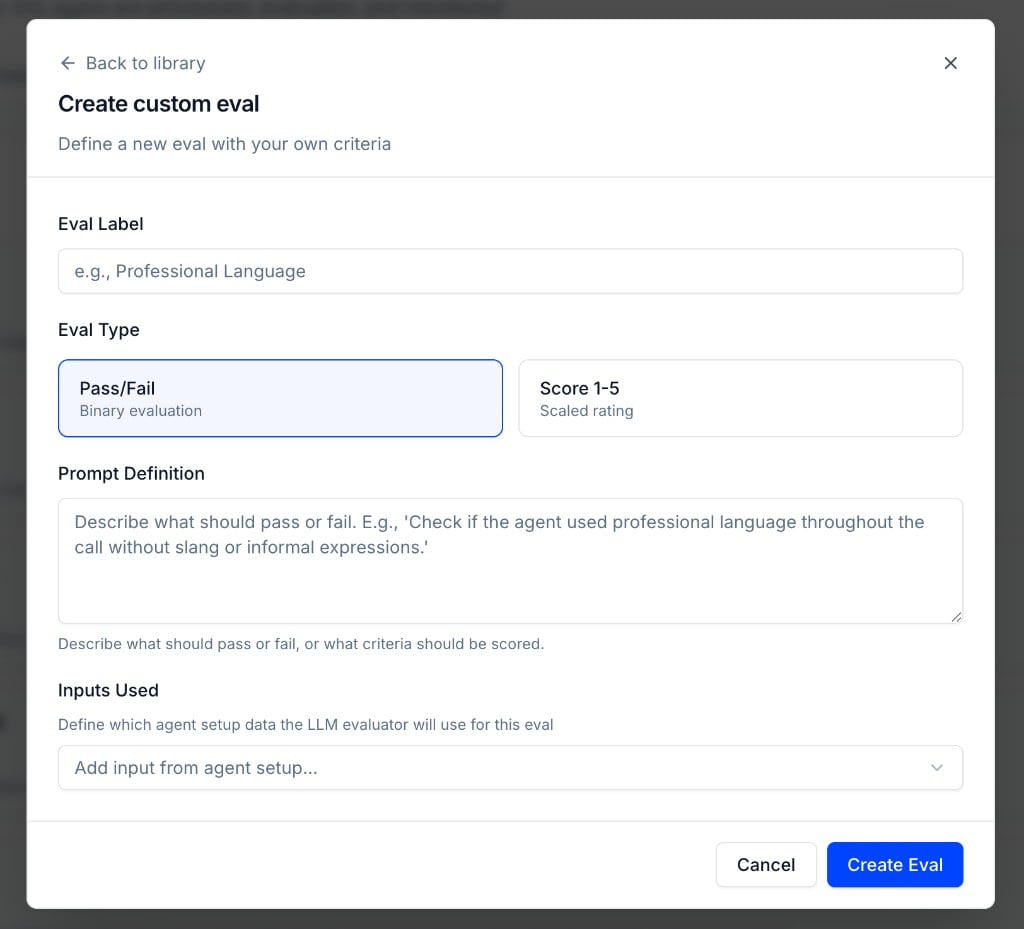
1
Set the Eval Label
Give your eval a clear, descriptive name, for example Professional Language or Disclaimer Read. This label appears in call results, dashboards, and alerts.
2
Choose the Eval Type
Pick how the eval should score each call:
- Pass/Fail, binary evaluation; the call either meets the criteria or it doesn’t.
- Score 1–5, scaled rating when you need a gradient (e.g. tone quality or thoroughness).
3
Write the Prompt Definition
Describe what should pass or fail in plain language. The LLM evaluator uses this as its rubric. Be specific. Vague prompts produce inconsistent results.Example: “Check if the agent stated the following disclaimer verbatim: ‘This call may be recorded for quality assurance.’”
4
Add Inputs Used
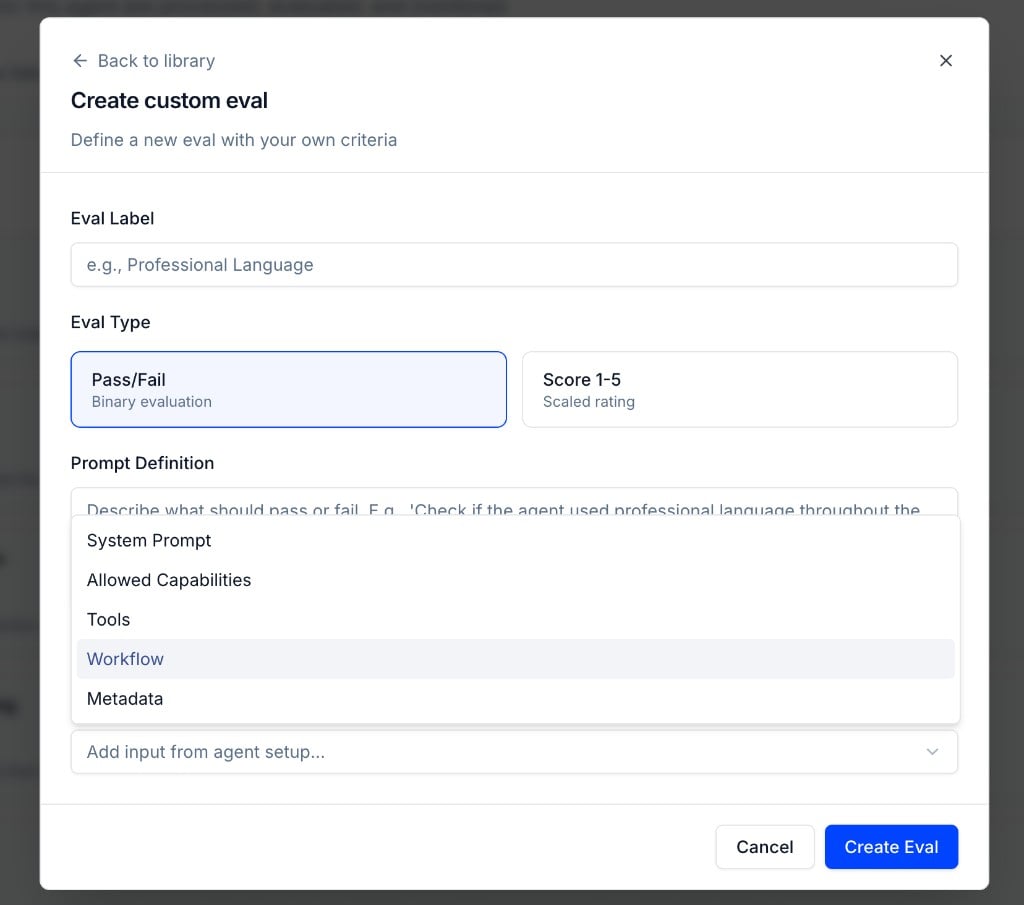
Under Inputs Used, choose which agent setup data the evaluator can reference when scoring the call. Click Add input from agent setup… and select one or more:
- System Prompt, the base instructions configured in Agent Setup
- Allowed Capabilities, what the agent is permitted to do
- Tools, the tools available to the agent
- Workflow, the agent’s workflow definition
-
Metadata, per-call context you attach when pushing calls via the API (see Evaluating Agents with Dynamic Instructions)
5
Create the eval
Click Create Eval. The eval is added to your agent and runs on every future call, production and simulation alike.
Example: Checking for a Disclaimer
Suppose you need to verify that your agent always reads a legal disclaimer. Create a custom eval with:
If a call doesn’t meet this criterion, the eval fails. You can then use the Rule Builder to trigger a red flag or alert when this eval fails.
Managing Evals
From the Evals list on the Evaluation Rules tab, you can:- Edit an eval: click the pencil icon to change its label, prompt, type, or inputs.
- Delete an eval: click the trash icon to remove it from the agent. It will no longer run on new calls.
Next Steps
Learn how to configure real-time alerts to be notified when evals fail.How to Configure Real-Time Alerts
A step-by-step guide to setting up real-time alerts in Tuner.
Diagnose Your Agent
Not sure which evals to add next? Diagnose your agent to find which behaviors need to be measured based on real call data.