

PII redaction is available on the Growth plan and is set at the workspace level, in Workspace Settings > Data & privacy. It applies to every agent in the workspace.
What is PII?
PII stands for personally identifiable information: details that identify a specific person, such as their name, phone number or credit card number. Callers often say these out loud, so they end up in your call transcripts. PII redaction finds these details in each transcript and replaces them with a typed placeholder, such as[NAME] or [ADDRESS]. This matters most for sensitive calls, such as in healthcare or finance.
How redaction works
When redaction is on, Tuner redacts the transcript of each new call before it analyzes the call. The redacted transcript is stored in place of the original. Because analysis runs on the redacted transcript, what Tuner shows afterwards, including the outcome, intent, eval results and the evidence they cite, uses the placeholders. Redaction applies to transcripts. Call recordings are not redacted.Turn on redaction
1
Open Data & privacy
Go to Workspace Settings and open the Data & privacy tab.
2
Turn on PII redaction
Turn on the switch next to PII redaction.
3
Choose what to redact
Under Categories to redact, select the categories you want. All of them are selected by default, and at least one must stay selected.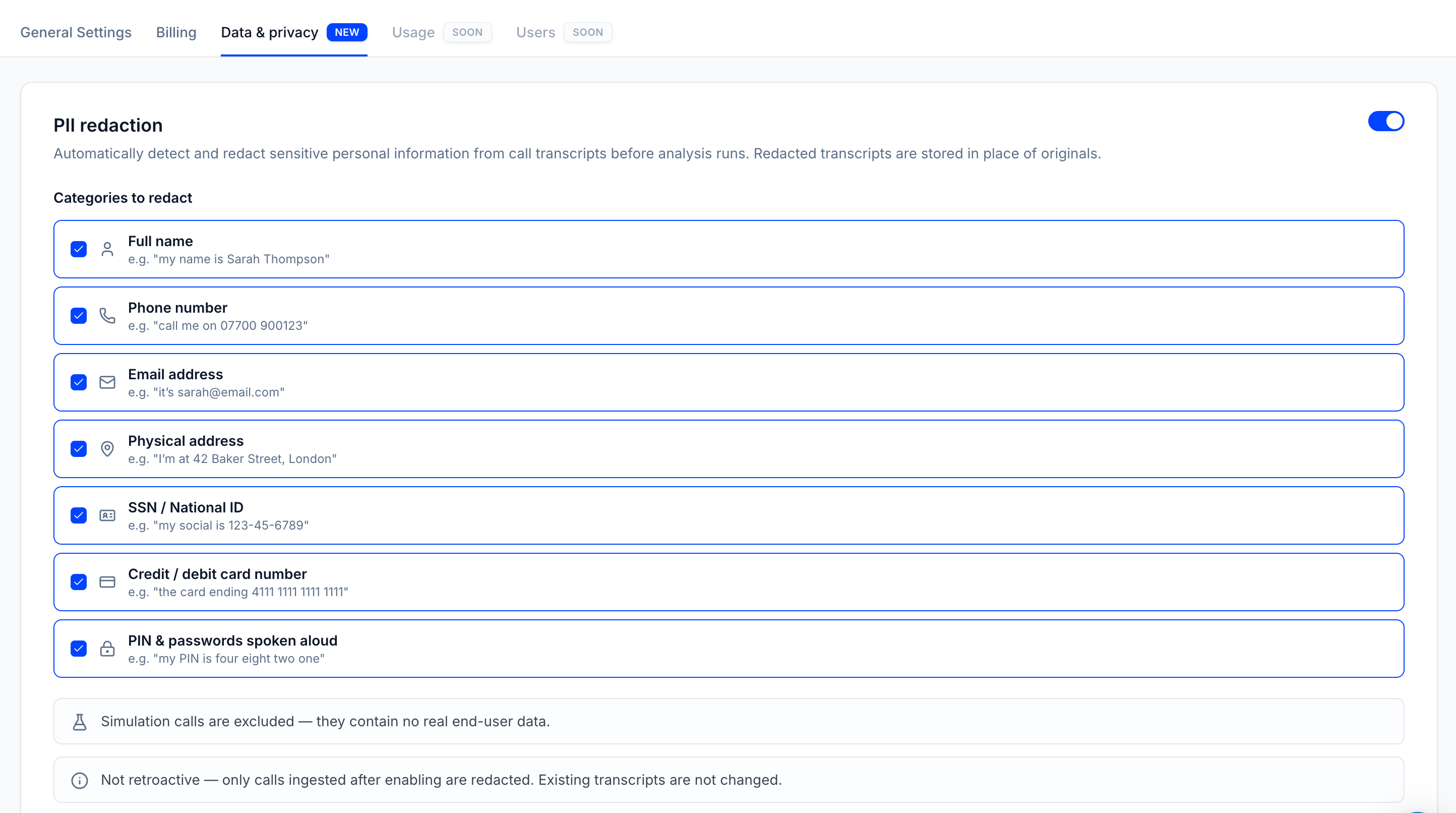
4
Save changes
Click Save changes. Redaction applies to calls that arrive from this point on.
What Tuner can redact
Each detected entity is replaced with the placeholder shown here.Redaction status on each call
Each call that went through redaction shows a status chip next to its Call ID, in Call Logs and on the call details page.
Calls without one of these chips were not redacted: they came in while redaction was off, or they are simulation calls, which show Simulated instead.
What a redacted call looks like
In the transcript, redacted details appear as placeholders in place of the original words. Everything else about the call, including timing and voice metrics, stays the same.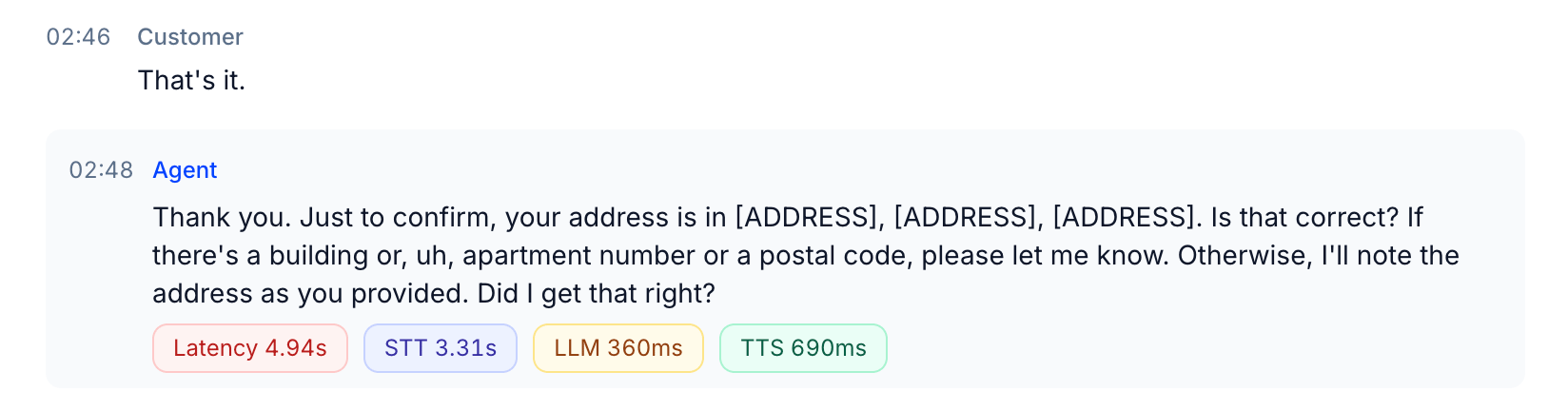
Good to know
- Workspace-wide. Redaction applies to every agent in the workspace. There is no per-agent setting.
- Not retroactive. Only calls that arrive after you turn redaction on are redacted. Existing transcripts are not changed, and redaction can’t be undone on a call that was already redacted.
- Simulation calls are excluded. Generated simulations contain no real caller data. Replays of Dataset calls play a real caller’s recorded audio, and their transcripts aren’t redacted either. Reference transcripts you edit are stored as you typed them. Only add calls to your Dataset that you’re allowed to reuse for testing.
Next steps
Data retention
Set how long call data is kept before it’s erased.
Call Logs
See the redaction status of each call.