

Call Logs is in the sidebar of every agent. Calls appear here once your agent is connected to Tuner (see the Quickstart). No other setup is needed.
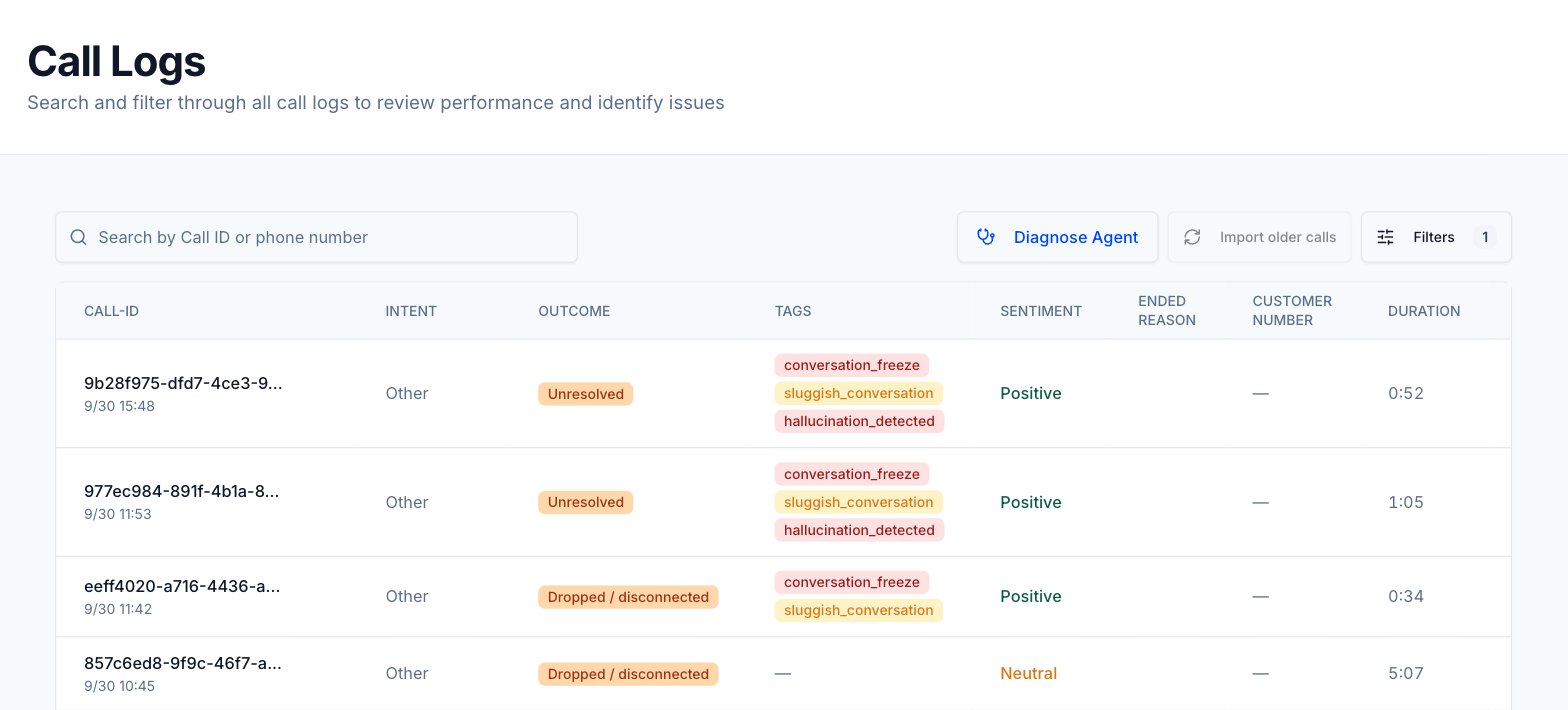
Find a call
1
Open Call Logs
Click Call Logs in the sidebar.
2
Search
Type in Search by Call ID or phone number. The search runs once you enter at least 3 characters. Clear the box to show all calls again.
3
Filter
Click Filters to open the filter panel, then pick values in any group. The table updates as you select. The number on the Filters button shows how many filters are active. Click Reset All Filters to clear them.
4
Open the call
Click a row to open its call details page. To copy a Call ID without opening the call, hover over it and click the copy icon.
Import older calls
If your agent runs on Retell or Vapi, you can pull in calls that happened before you connected it to Tuner.1
Click Import older calls
On Call Logs, click Import older calls. Tuner queues an import job and shows a confirmation.
2
Wait for the calls to appear
Tuner fetches the calls from your voice provider and analyzes them like new calls. They appear in the table as they finish.
Table columns
Status chips
Calls without a chip were not simulated and were not redacted, because PII redaction was off when they arrived.
Filters
The Filters panel has five groups.
Your search, filters and page are saved in the page URL, so you can share or bookmark a filtered view.
Call details
The call details page has a header, the recording and transcript on the left, and a set of tabs on the right.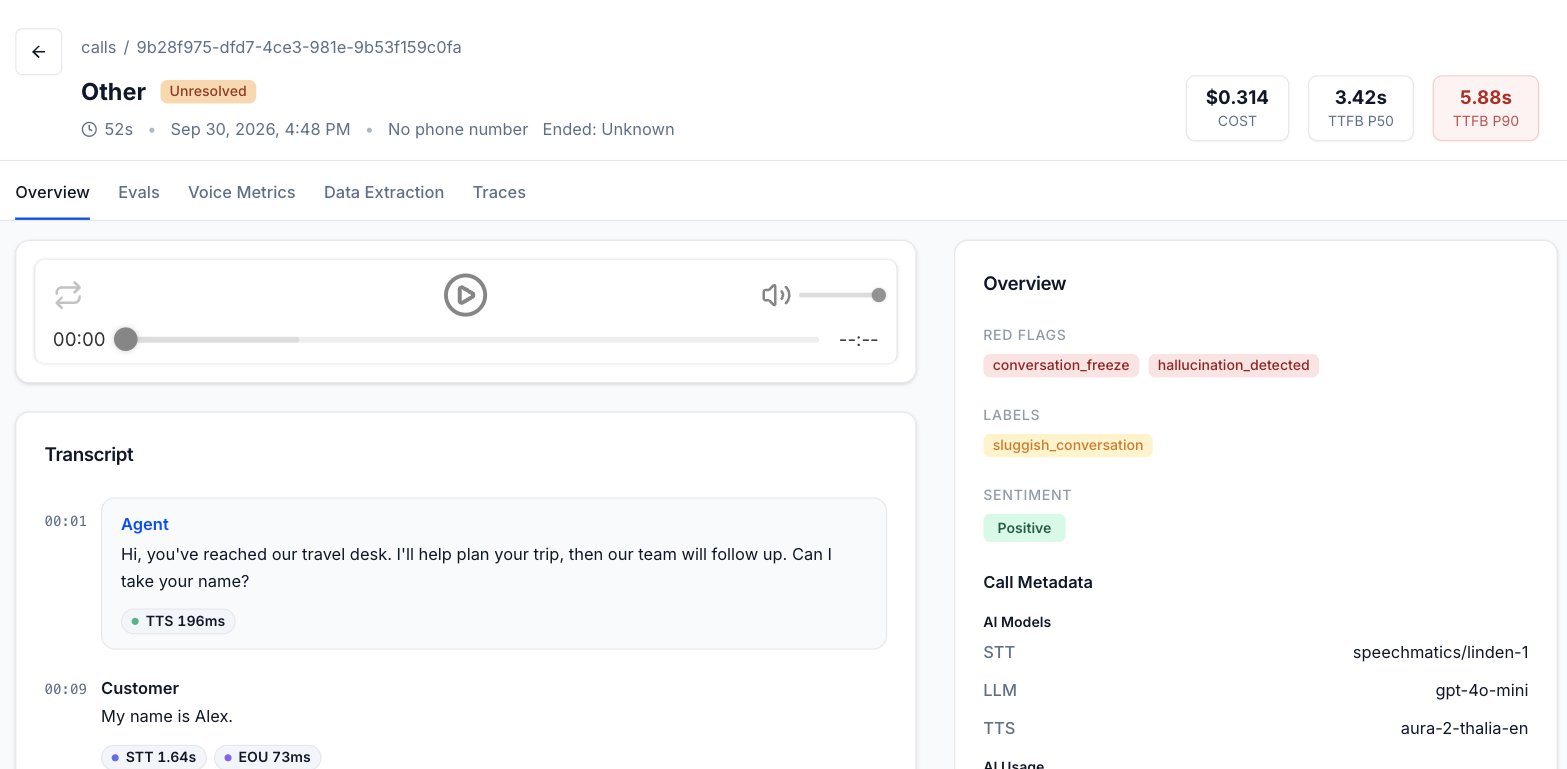
Tabs
Call Metadata
The Call Metadata section on the Overview tab shows the metadata your integration sent with the call. Each group appears only when it has data.
How to send metadata depends on your integration. See the LiveKit, Pipecat or SDK quickstart page, or the
metadata field of Create call.
Calls removed by retention
When your data retention policy has erased part of a call, the call details page says so:- A banner reads Retention policy: followed by the erasure scope, and explains what was removed.
- A Recording removed card replaces the audio player.
- The transcript area shows Transcript removed, or Transcript and caller data removed.
- If caller data was removed, the header shows Number removed, and the Evals and Data Extraction tabs mark evidence notes and field values as removed.
Limits
Call Logs data is also available through the public API, in the Calls group of the API Reference: List calls, Get call and List filter options.
Next steps
Find the root cause of a failing call
Work through a single problem call using the call details page.
Voice metrics
Read the per-turn latency badges and the Voice Metrics tab.