

What is a replay?
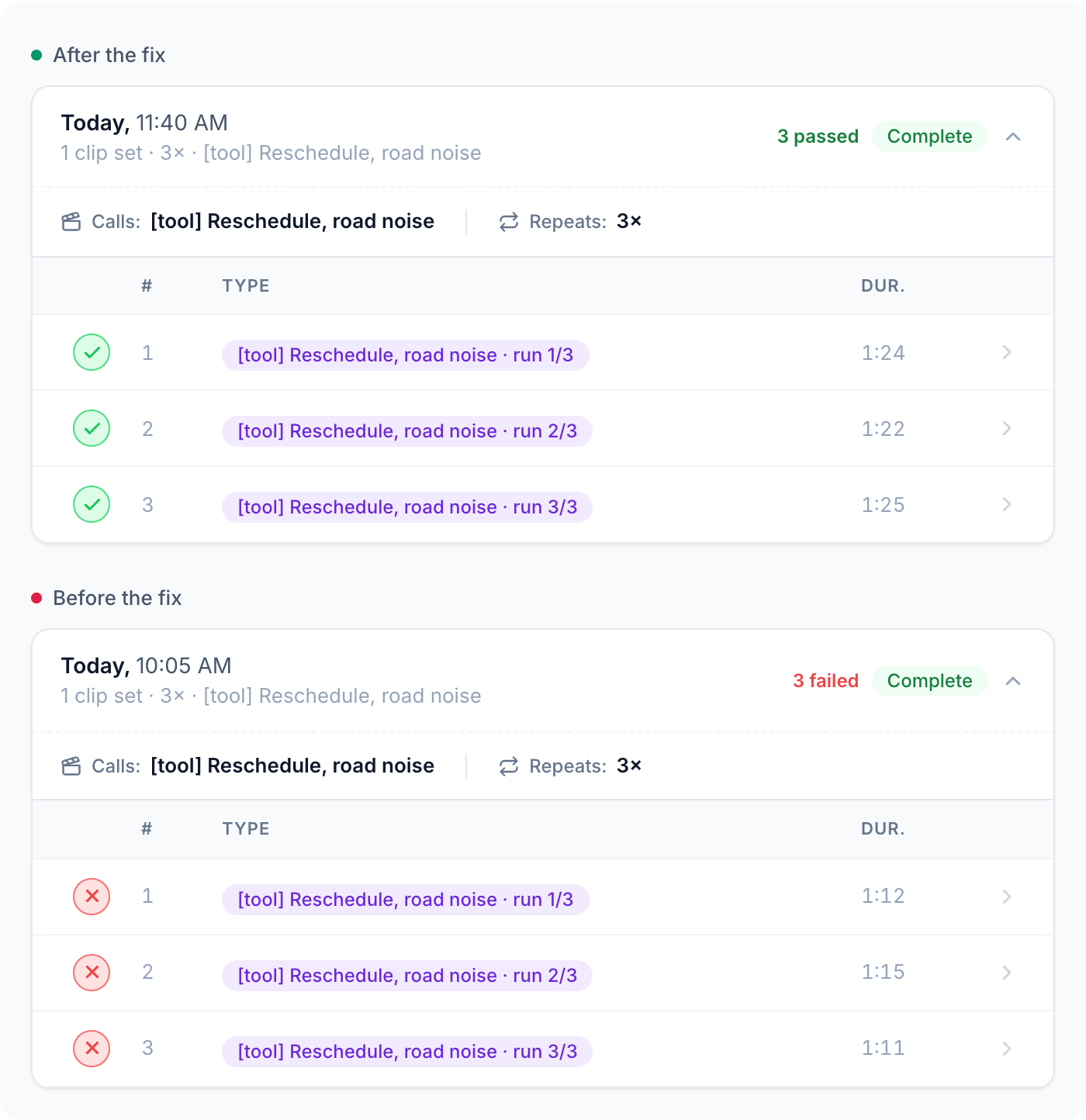
When you change your agent, you need to know what got better and what broke. A replay runs a call through your agent again, and Tuner scores it with your evals, so you can compare the result with the run before. Use replays to:- Reproduce a call that failed.
- Prove that a fix worked.
- Compare two setups, like a new model or provider, on the same calls.
How it works
Every replay follows the same three steps:- Pick what to replay: a call from your Dataset, or a saved simulation scenario.
- Tuner calls your agent and plays the call, like a real customer would.
- Tuner scores each call with your evals, so you can see what changed.
Two kinds of replay
What differs is the caller.Replay a Dataset call
The caller is a recording of a real call, played back exactly as it was said. Best for reproducing a failure.
Replay a simulation
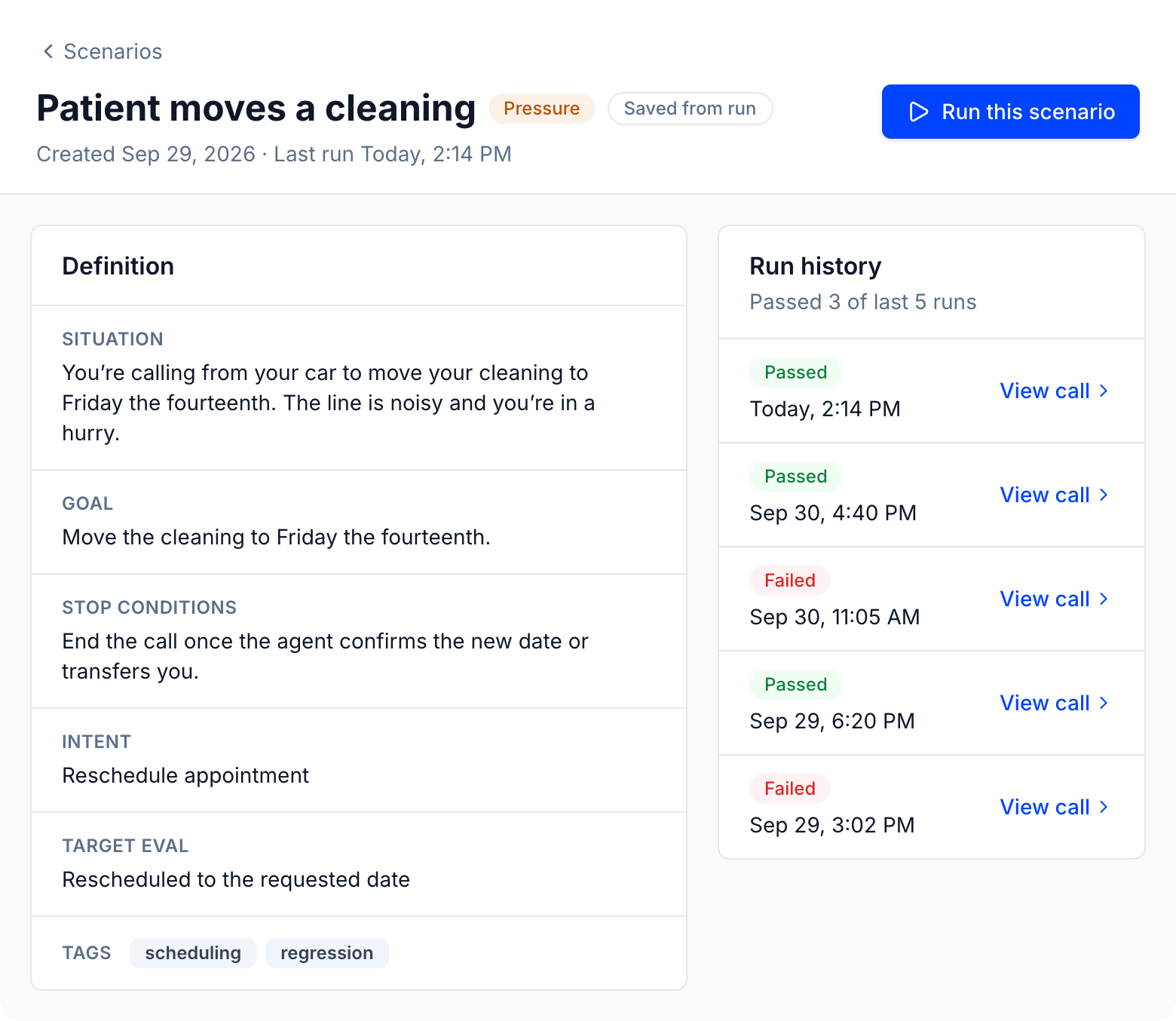
The caller is a simulated customer following a saved scenario. Best for re-checking a scenario after every change.
How they compare
Step by step
Pick a kind in any step, and the other steps switch with it.1
Pick what to replay
- Replay a Dataset call
- Replay a simulation
Choose which calls from your Dataset to play to your agent.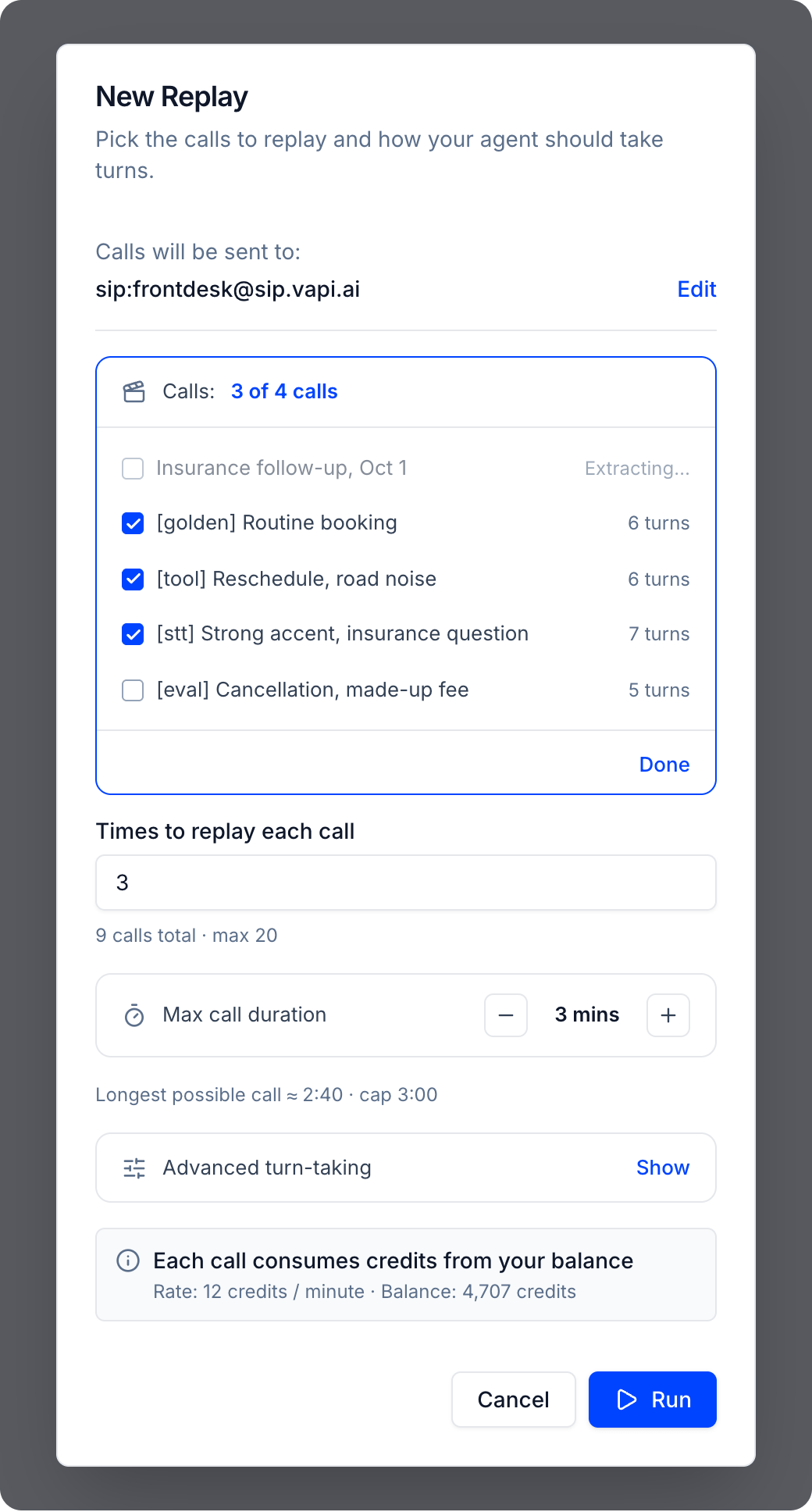
- Go to Simulations > Replays and click New Replay.
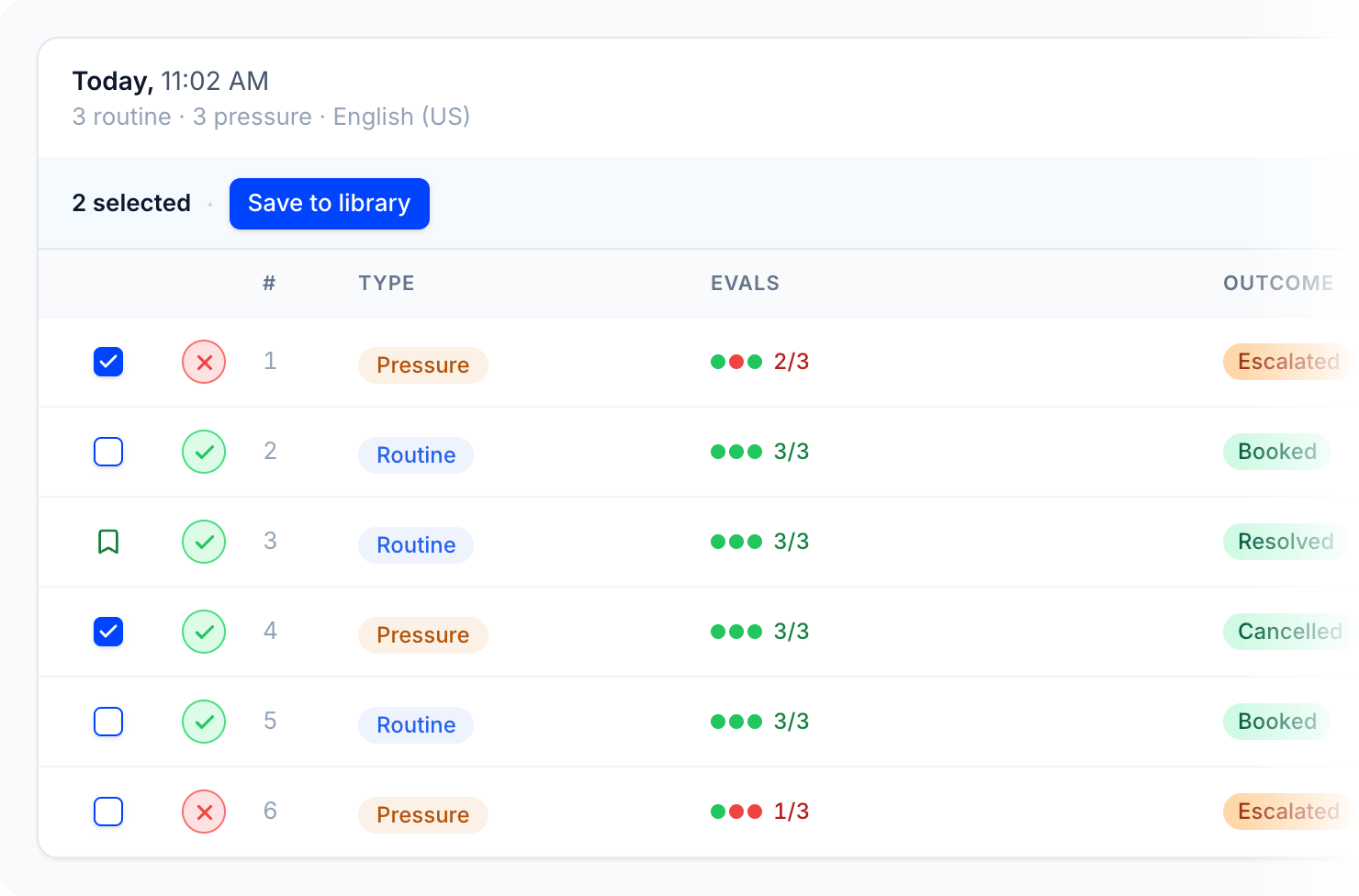
- Click Change next to Calls and tick up to 10 Dataset calls. Calls that are still extracting, or that failed, can’t be picked.
- Dataset replays run against inbound agents on Vapi, Retell, Dograh, LiveKit, Pipecat, or a Custom API integration. Set up inbound simulation first, and add at least one Ready call to your Dataset.
2
Run it
- Replay a Dataset call
- Replay a simulation
Tuner calls your agent and plays each caller turn from the recorded call.
- Set Times to replay each call (1 to 20, at most 20 calls in total) and Max call duration (1 to 12 minutes). Longest possible call warns you if a call won’t fit.
- Click Run. The run appears on the Replays tab and fills in as calls finish.
- Tuner waits for your agent’s greeting, plays each caller turn in full, even if your agent talks over it, and waits for your agent’s reply before the next turn. After the last turn it waits for one more reply, then hangs up. A call also ends if your agent hangs up or it reaches the max call duration.
- The caller never reacts to what your agent says. They say what they said in the original call. See The caller doesn’t adapt.
- To change how long Tuner waits for your agent, see Turn-taking settings.
3
Read the results
- Replay a Dataset call
- Replay a simulation
Every replay is graded, so you can see what changed.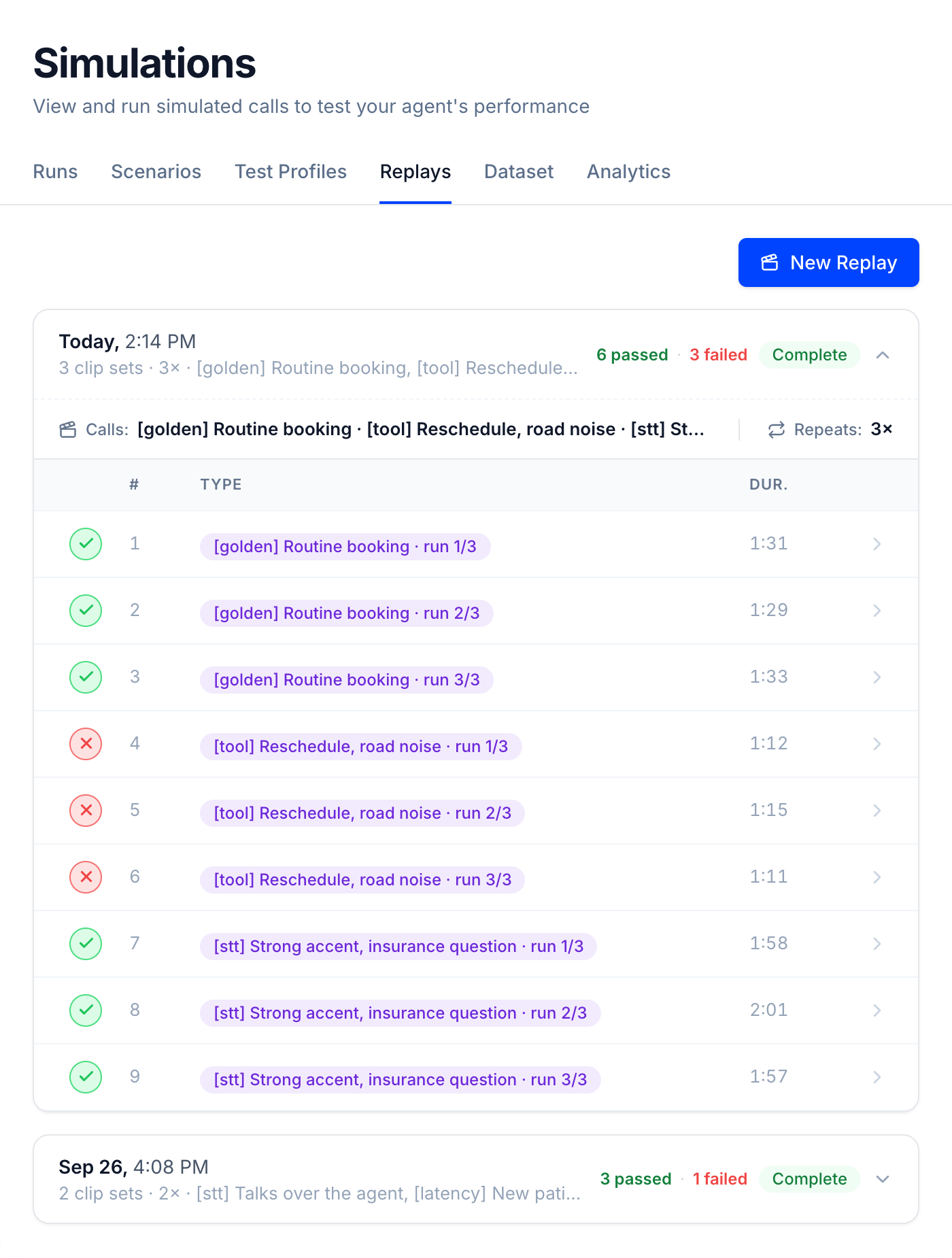

- Each run card shows how many calls passed and failed, and the calls, repeats, and turn-taking settings it used.
- Every call is graded against all of your agent’s Pass/Fail evals. A green check means none failed. A red X means at least one failed, or the call didn’t run. If your agent has no Pass/Fail evals, calls count as ran and the run measures latency only.
- Click a row to open the call. A Replay call banner names the Dataset call it came from, and Replay details shows the source call and the exact settings used. The recording is stereo: caller on the left, agent on the right.
- To compare two setups, keep the same calls, repeats, max call duration, and turn-taking settings, then compare the run cards and open matching calls. There’s no side-by-side view yet. See Benchmarking.
Turn-taking settings
This is optional, and it applies to Dataset replays. Expand Advanced turn-taking in New Replay to change how long Tuner waits for your agent.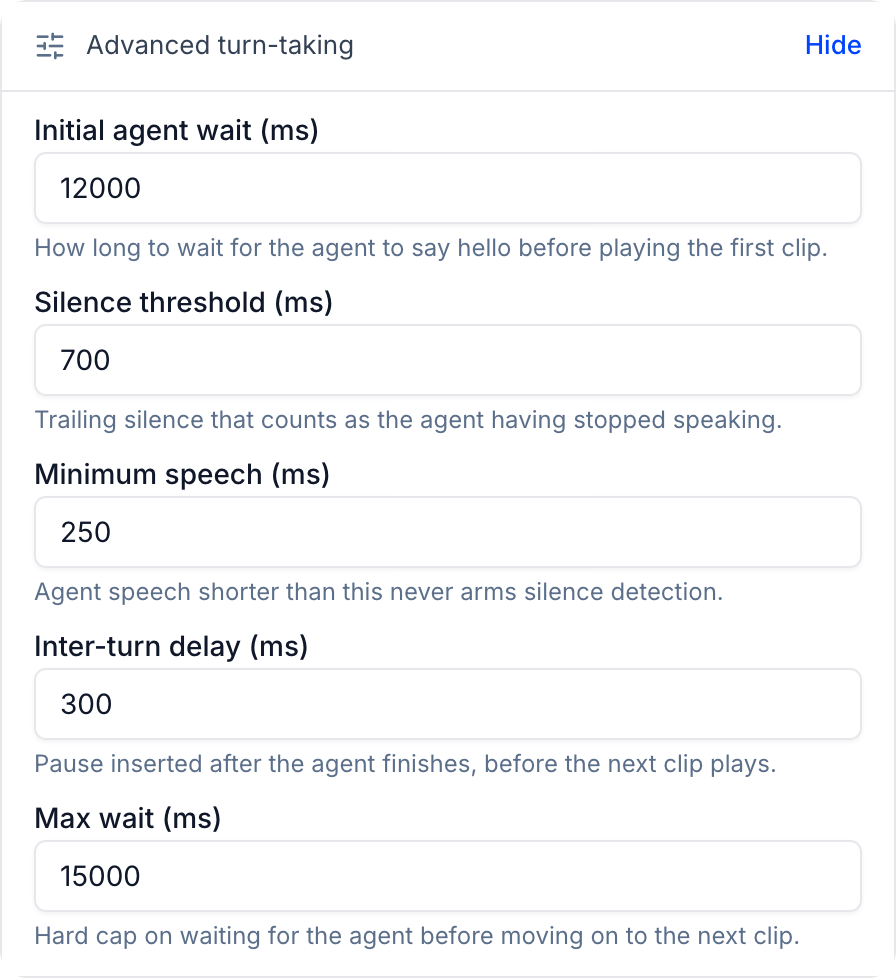
Limits
Both are also available through the public API, in the Simulation group of the API Reference.
Next steps
Introduction to Datasets
Save the calls you want to replay: failures, hard callers, and edge cases.
Introduction to Call Simulation
Generate new scenarios to find failures you haven’t seen yet.