

What to collect
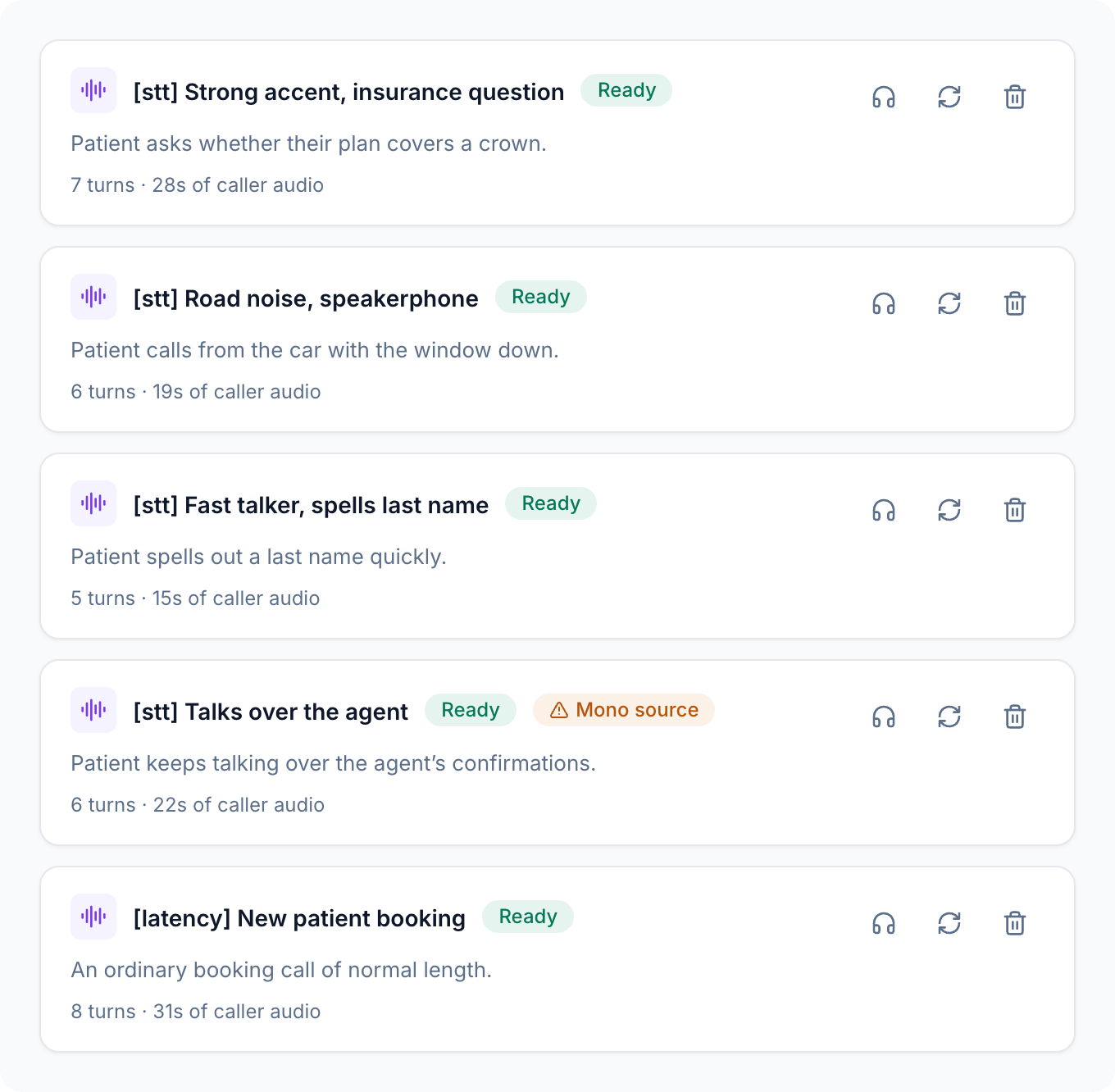
Cover your real mix. If a third of your callers phone from the car, a third of these calls should too.
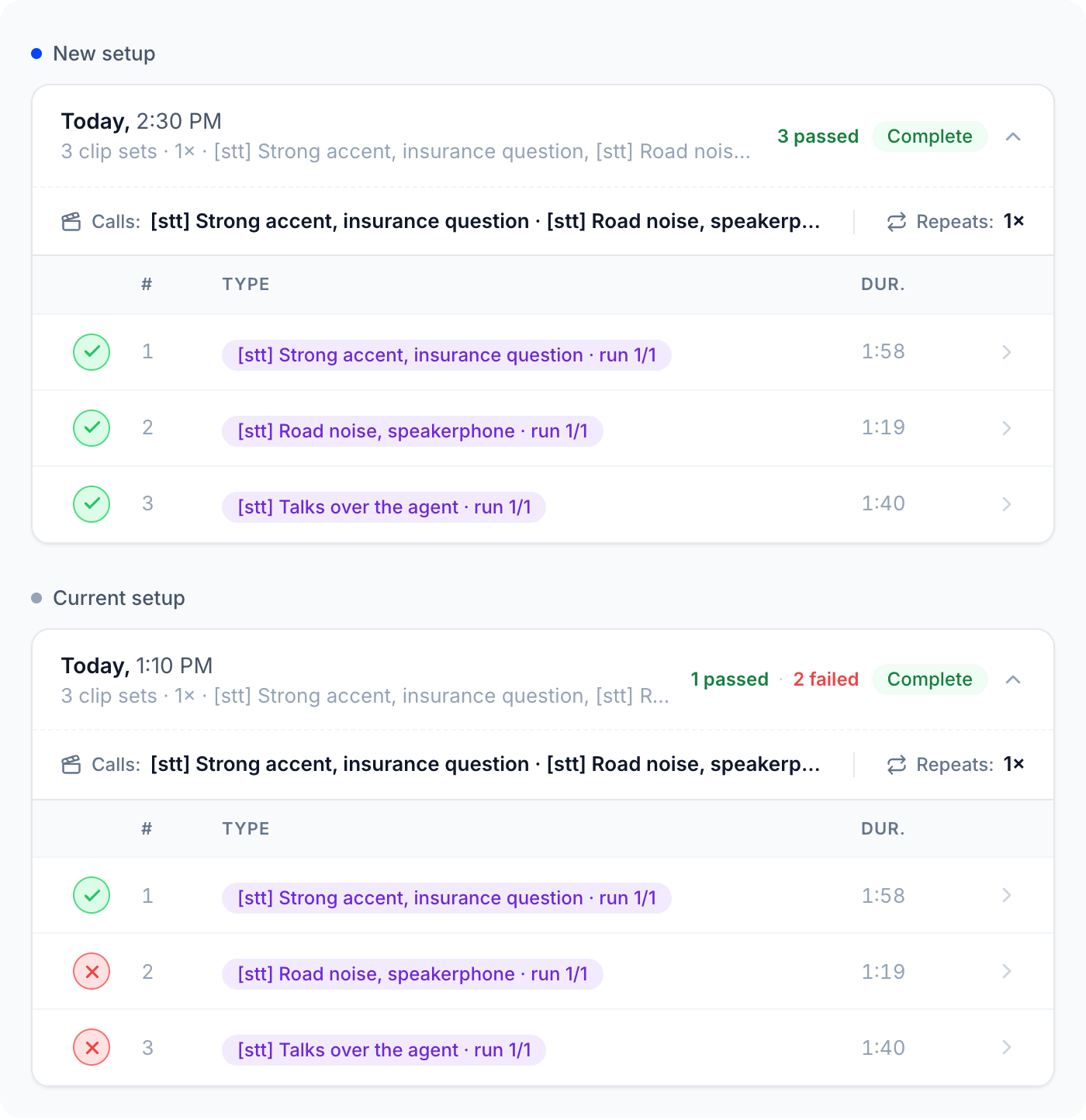
Compare two setups
1
Pick the calls
Choose the Dataset calls that cover what you’re changing, up to 10 per run. Keep the same set for every run in the comparison.
2
Record a baseline
Replay each call 3 to 5 times on your current setup. Repeats show you how much results vary on their own, before you change anything.
3
Swap one thing
Swap in the new speech-to-text model, LLM, or TTS voice, or adjust your turn detection or endpointing. Only one change, so any difference has one cause.
4
Replay the same calls
Use the same calls, the same number of repeats, the same Max call duration, and the same Advanced turn-taking settings.
5
Compare the runs
Open the matching calls from each run and compare their Voice Metrics, transcripts, and eval results. Keep the change only if it helps across the set, not on one lucky call.
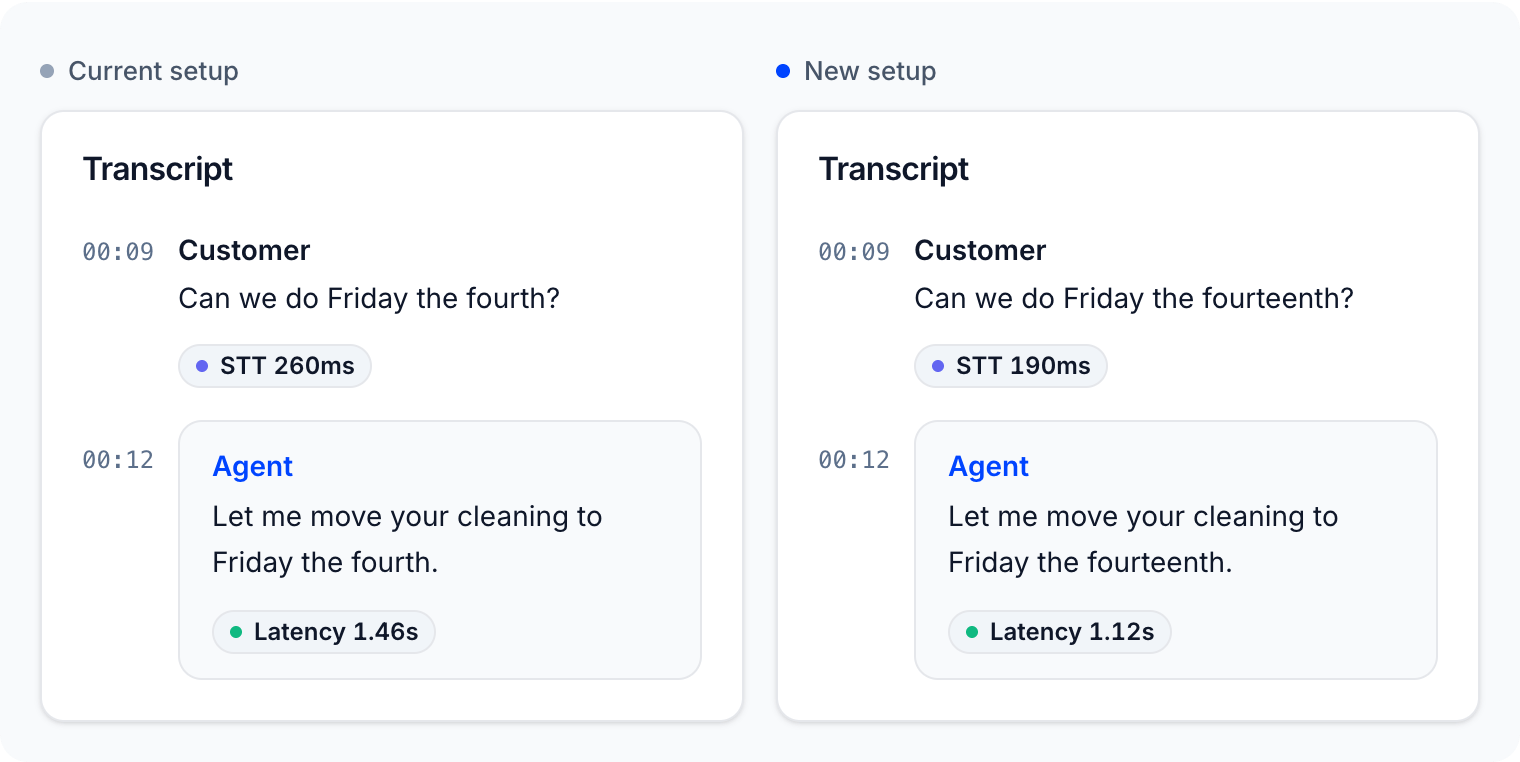
Read latency on a replayed call
Open any replayed call from the Replays tab. The Voice Metrics tab shows its latency like any other call, and the transcript shows per-turn badges when your platform reports them: total response Latency on each agent turn, and STT, LLM, and TTS time where available.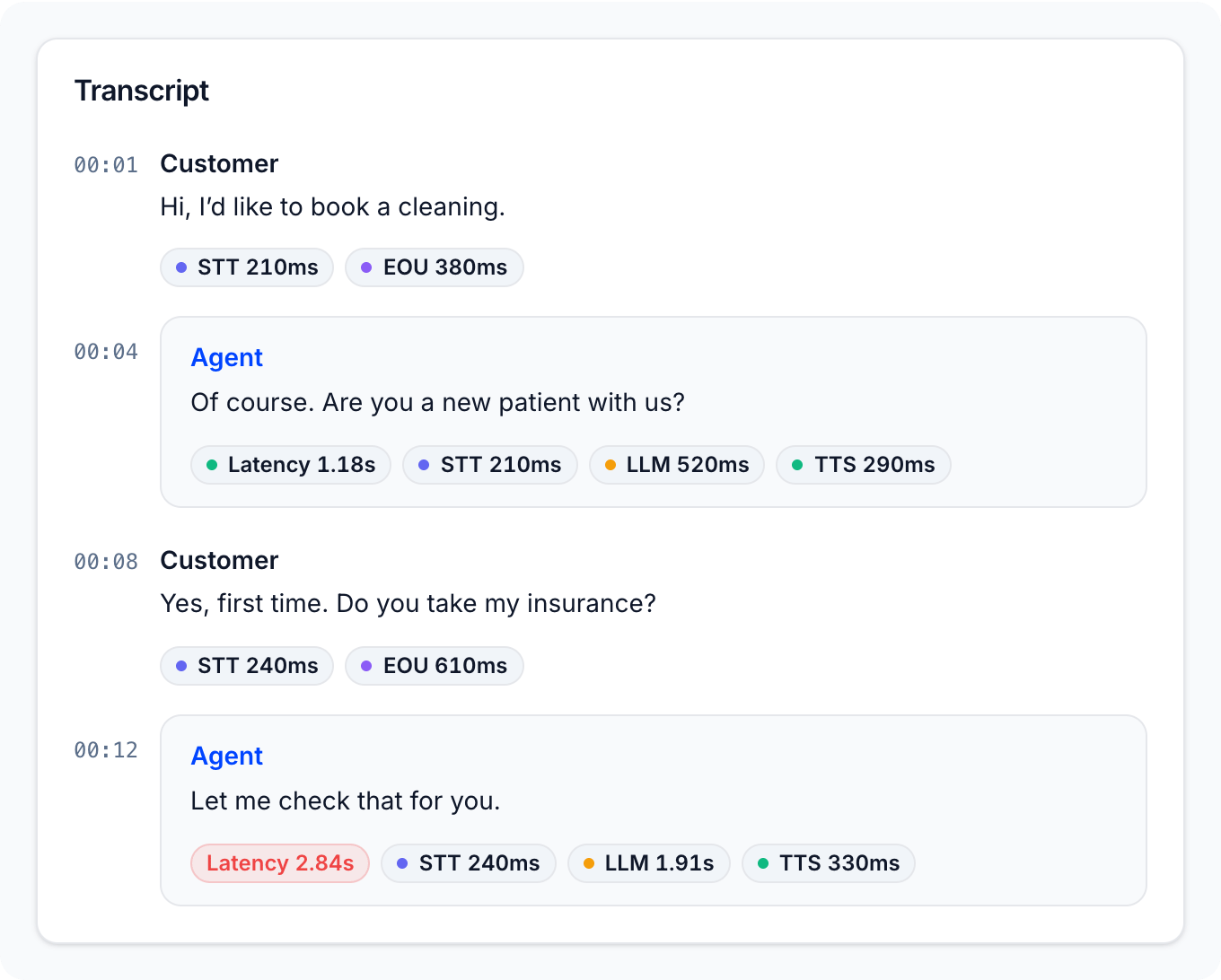
Tips
- Keep calls short. Latency shows up in the first few turns. Short calls replay faster, cost less, and fit within the max call duration.
- Prefer multi-channel calls. In a mono source, fragments of the original agent can leak into the caller’s turns and confuse your agent’s turn detection.
- Re-run the baseline after big changes. Provider-side model updates can shift results even when you changed nothing.
Next steps
Capturing failures
Reproduce the call that failed and prove your fix.
Replays
How a replay plays, and how to read its results.