

The calls you can’t make twice
You’ll find these calls in production:
- Calls with a failed eval, like a made-up policy or a missed confirmation
- Calls tagged with a red flag
- Calls whose Call Outcome was a failure or an escalation you didn’t want
- Calls where the agent misread what the caller wanted, their Intent
- Calls a customer complained about
From failure to verified fix
1
Spot the failure
Open the call and find where it went wrong: the eval that failed, the tool call that errored, or the turn the agent misheard.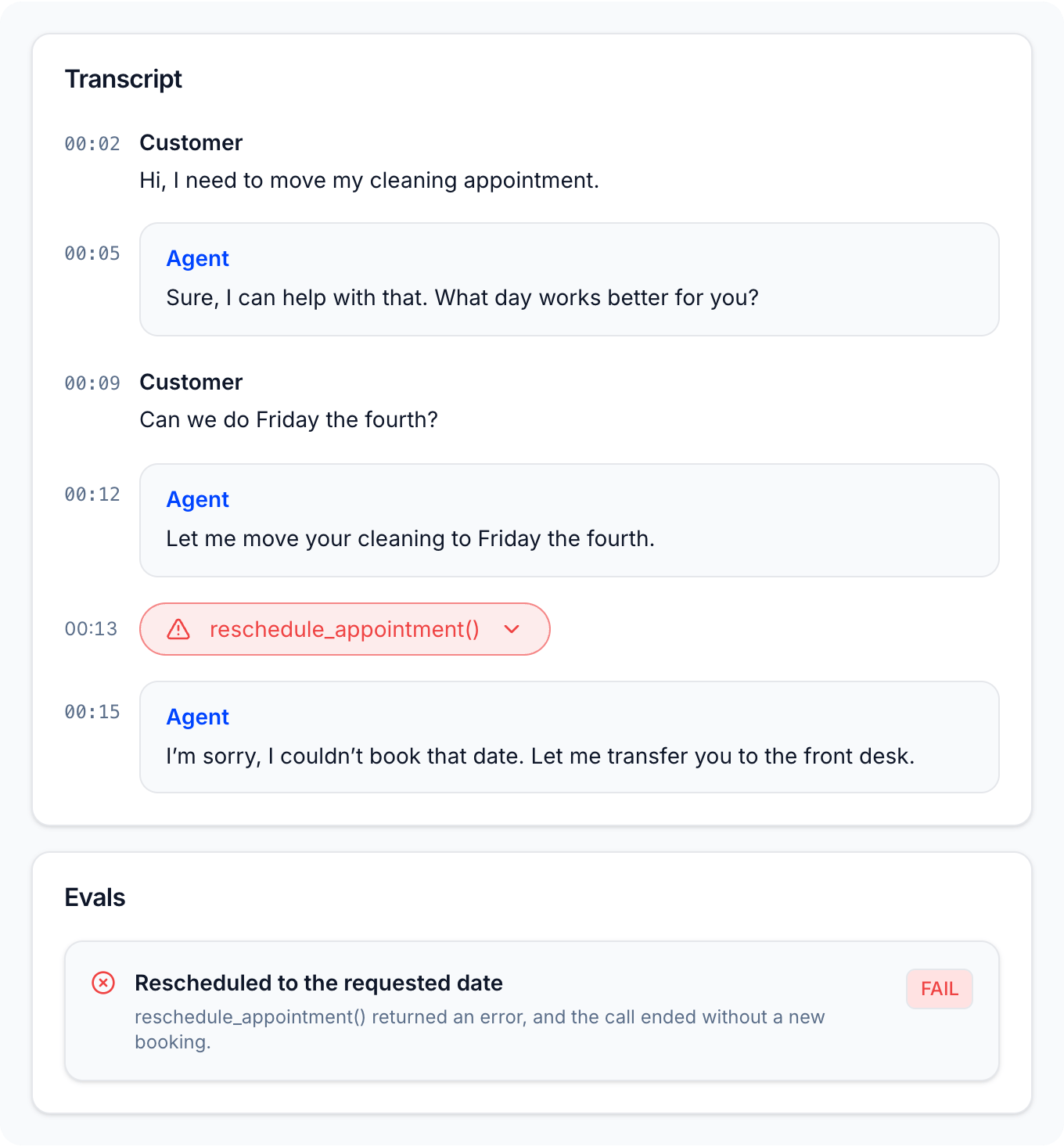
2
Save the call
On Simulations > Dataset, click Add call and pick it from your production calls, or upload the recording. Background noise and all. Name it after the problem, for example [tool] Reschedule, road noise.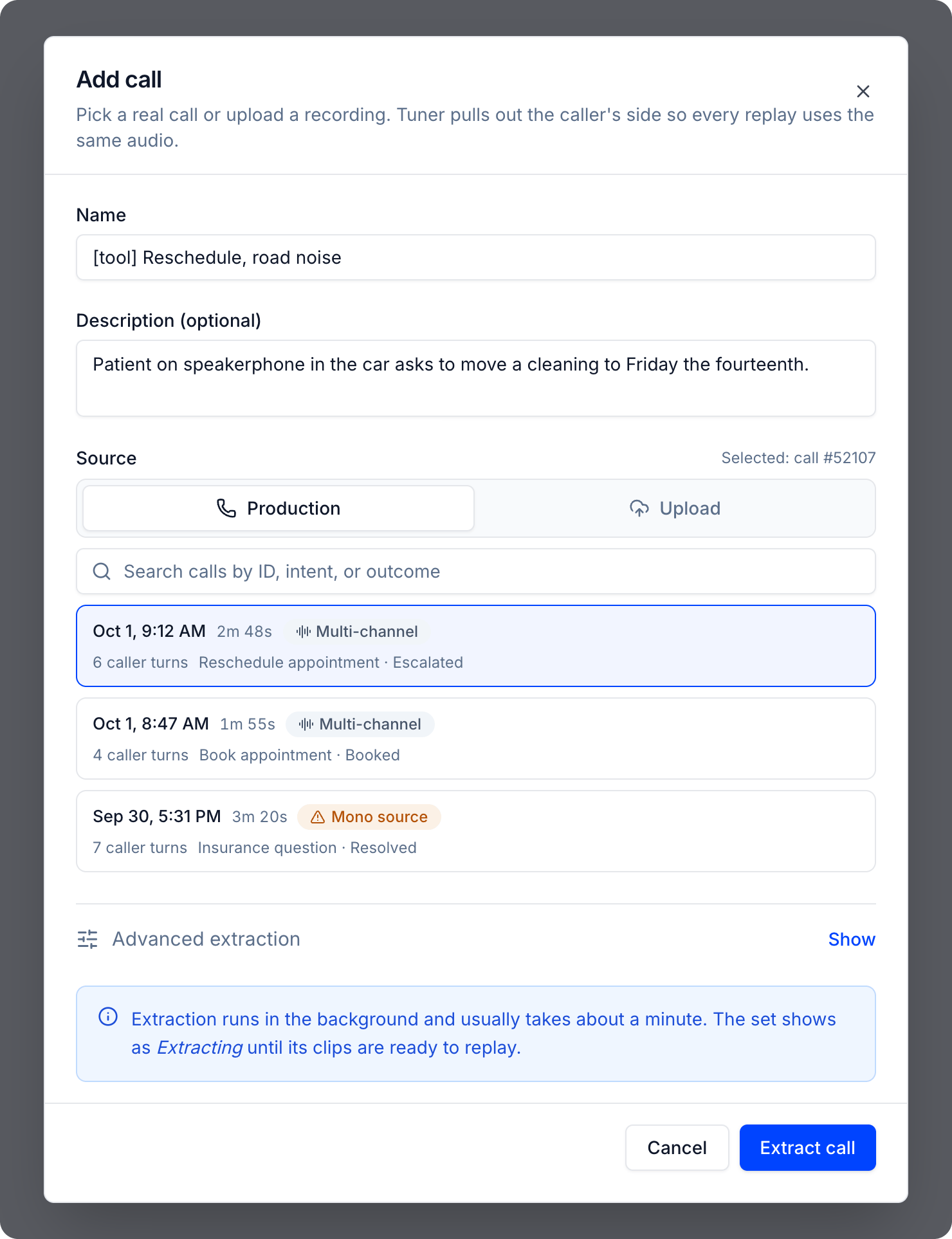
3
Reproduce it
Replay it 3 times against your current agent before you change anything. If it fails every time, it’s a real problem, not a one-off glitch, and you have a test that fails for the right reason. If it fails once in three, it’s intermittent, and a single passing replay after your fix won’t prove much.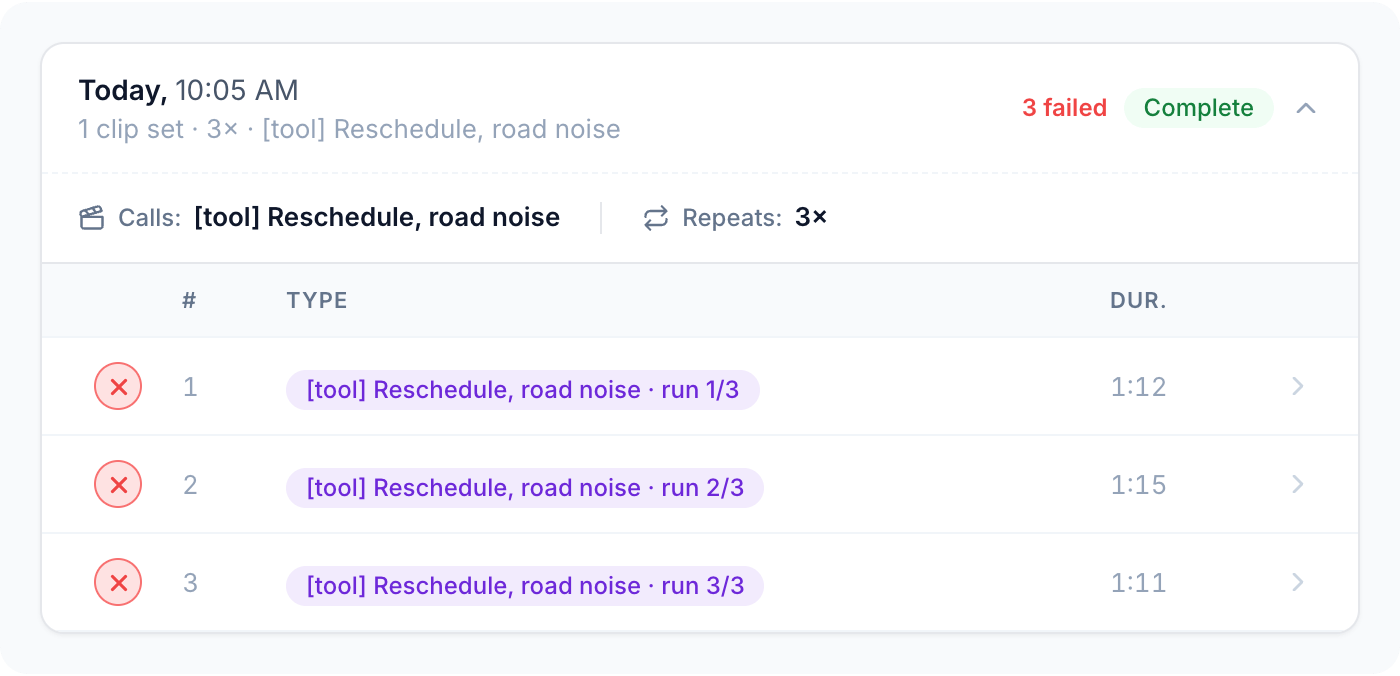
4
Fix your agent
Change the prompt, try a different speech-to-text model, rewrite a tool’s description, or clean up the date before the tool call. Whatever you think fixes it.
5
Replay it again
Same caller, same noise, same words, the same number of times. If the call now passes your evals, you watched the fix work on the call that broke.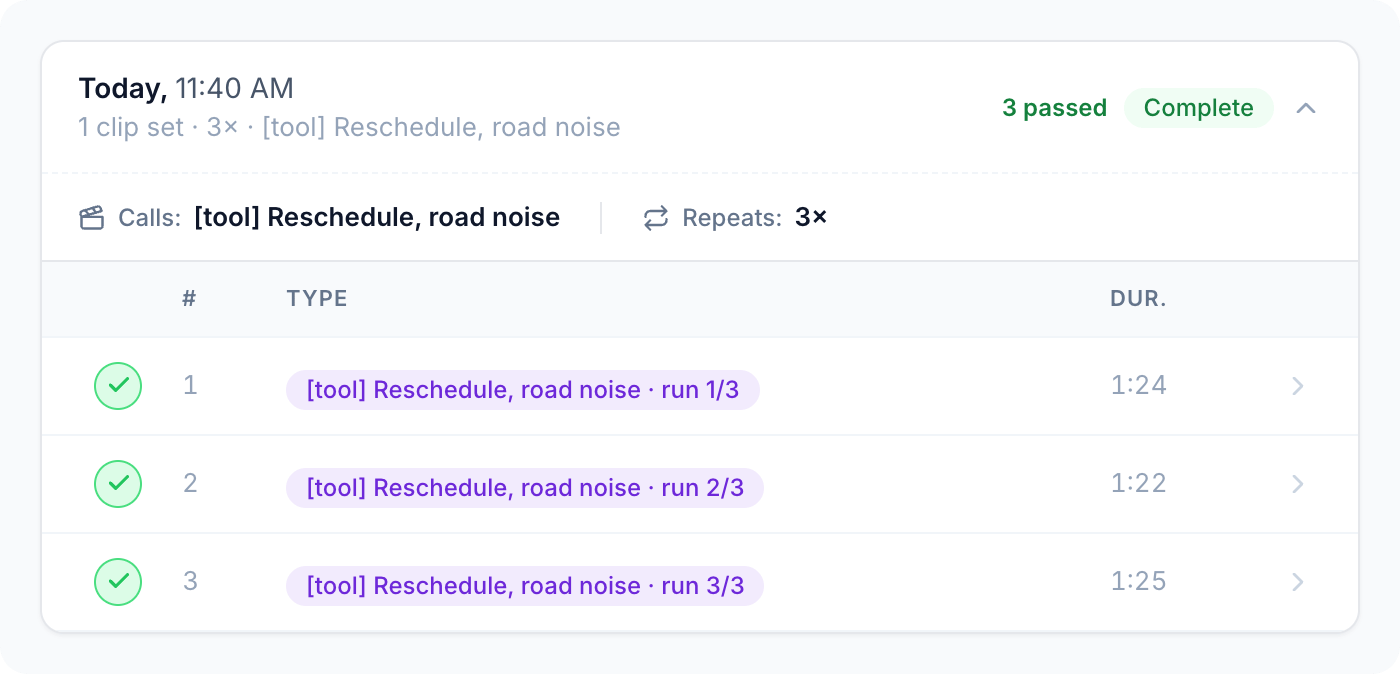
How a replay is graded
- Evals: each replay is graded against all of your agent’s Pass/Fail evals. Score (1 to 5) evals aren’t graded on replays. See Custom evals.
- Intents and Call Outcomes: classified on each replayed call like on any other call. See Call classification.
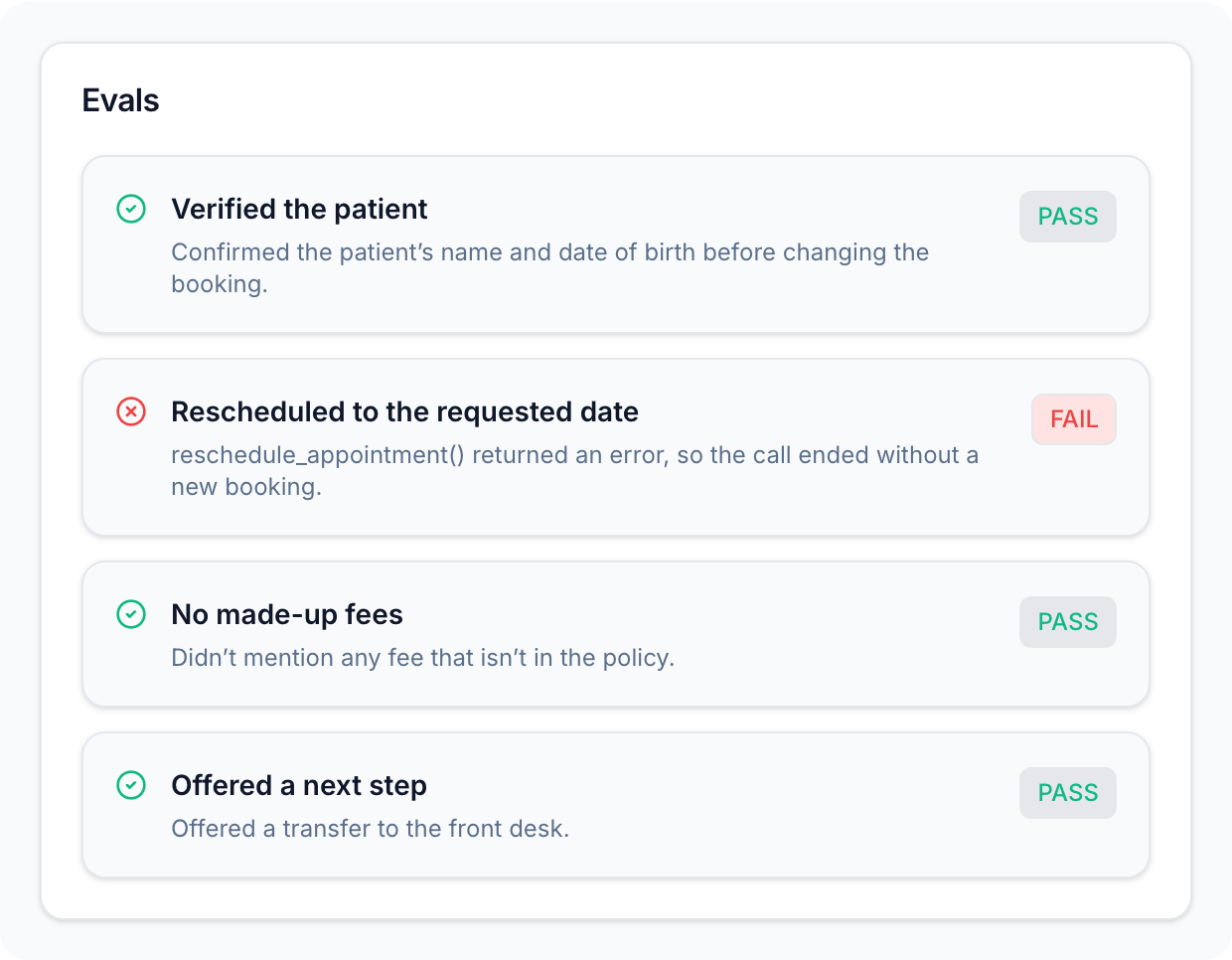
If your agent has no Pass/Fail evals, a replay only measures latency, and each call shows as ran instead of passed or failed. Add a Pass/Fail eval that catches the failure before you replay it.
Write evals that catch it
- Make each eval about one behaviour, so a failure tells you exactly what to fix.
- Anchor evals on the agent’s words and actions, like a confirmation, a refusal, or a transfer, not on what the caller said after.
- For tools, test how the tool was used. For example: “The agent called
book_appointmentbefore confirming a time to the caller,” or “If a tool returned an error, the agent didn’t tell the caller the action succeeded.”
Check a tool call on a replay
Open a replayed call from the Replays tab. Tool calls appear in the transcript, in order, between the turns. Each one shows its name and how long it took, and a tool call that returned an error shows in red with a warning icon. Click a tool call to expand its Input and Output (or Error).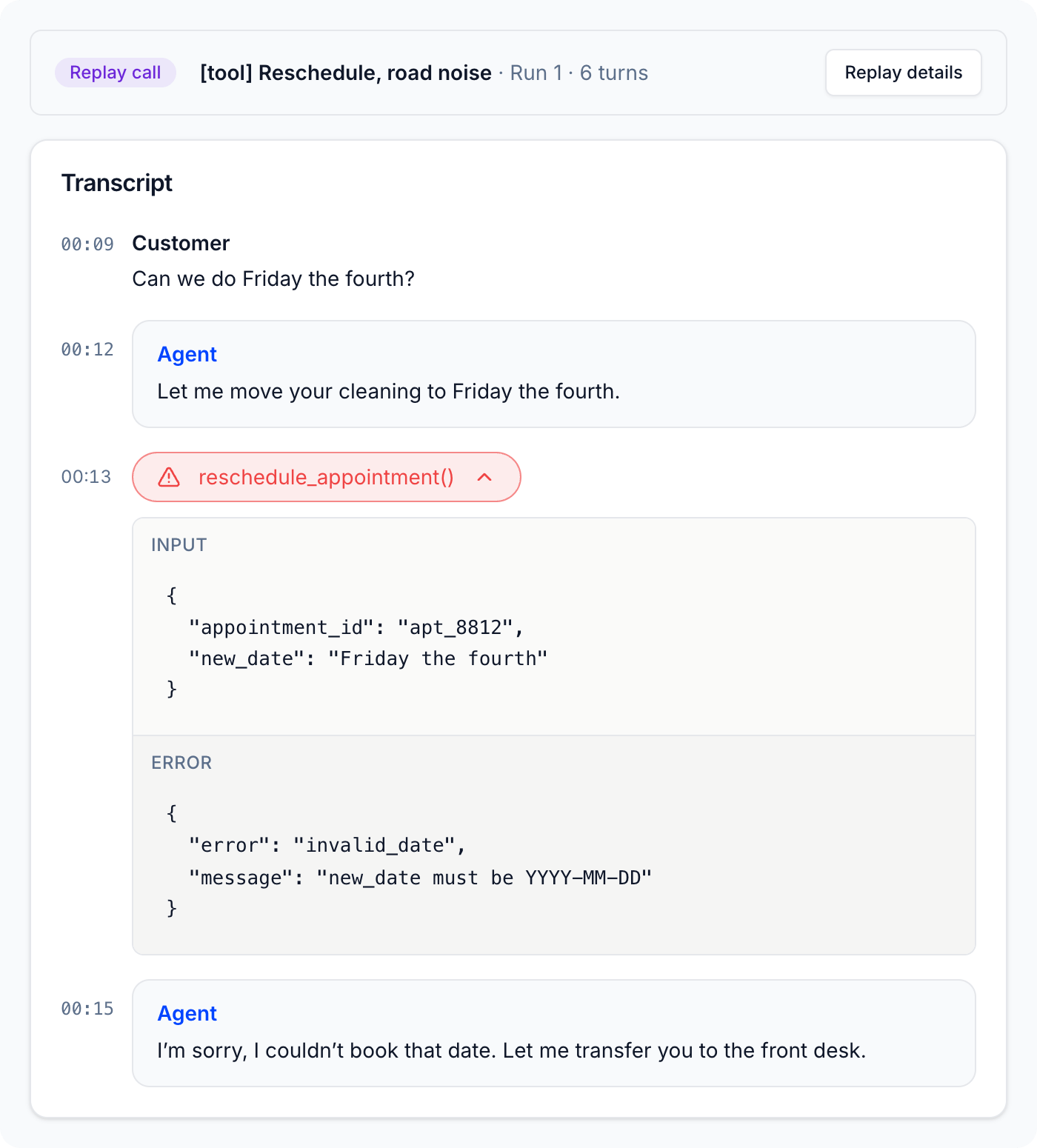
Your Dataset becomes your test suite
That call stays in your Dataset, and so does every hard call you add: the noisy ones, the strong accents, the interruptions, the edge cases. Replay the whole set with every prompt update, model swap, or deployment. If an old failure comes back, you’ll see it before your callers hear it.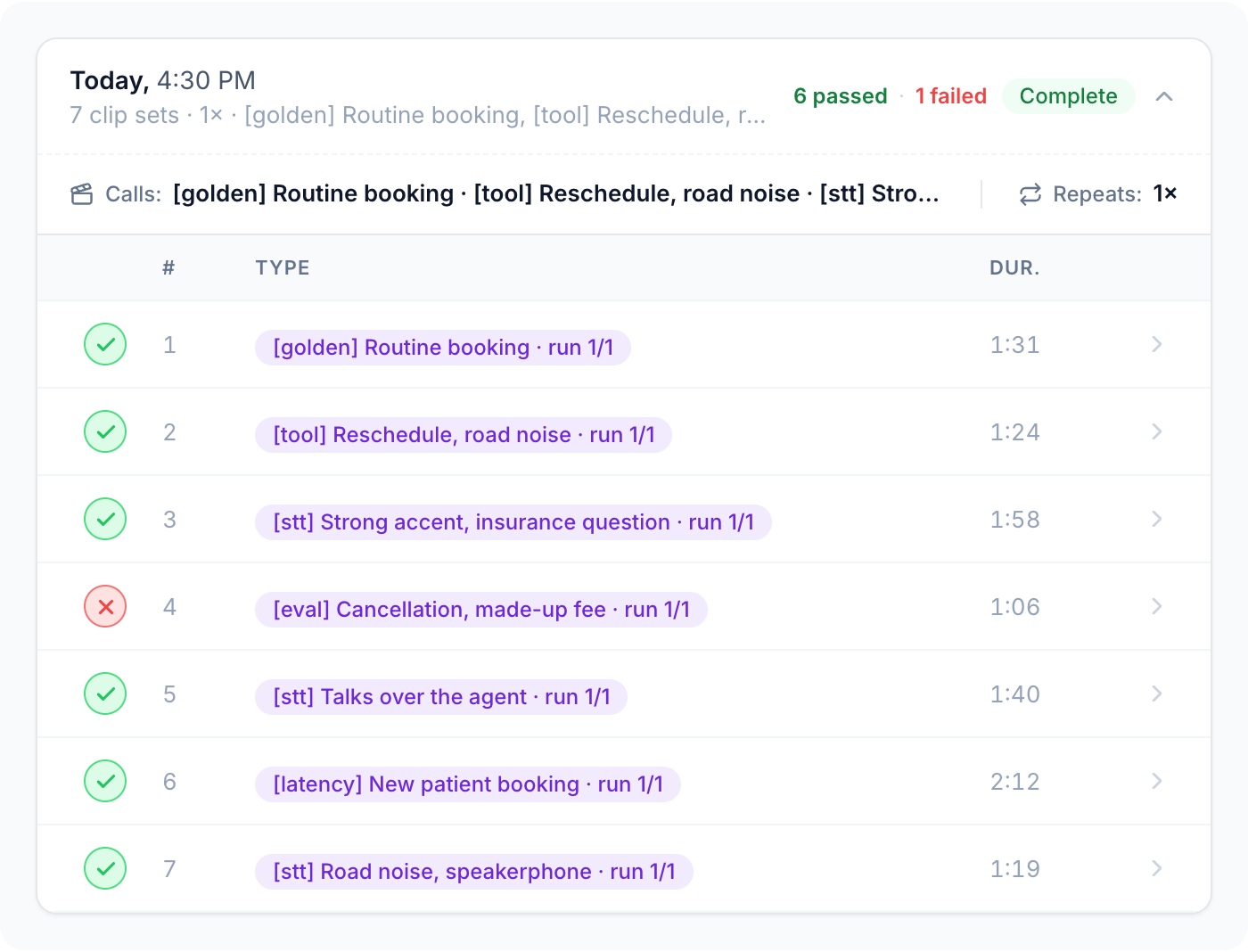
The caller doesn’t adapt
A replay plays the caller’s recorded turns in order, whatever your agent says. If your fixed agent now answers differently, the caller still says what they said in the original call. For example, they may still say “Great, thanks” after your agent has refused a request. This is what keeps replays comparable, but it affects which calls make good tests:- Choose calls where the failure happens early, before the conversation depends on what the agent said.
- Keep calls short and focused on one behaviour.
- Judge the agent’s turns, not the caller’s. Write evals about what the agent did, like “didn’t promise a refund”, rather than about how the conversation ended.
Next steps
Benchmarking
Pick your stack on your own calls.
Dataset best practices
Naming, repeats, and keeping your Dataset useful over time.