

Build Datasets on the Dataset tab and replay them from the Replays tab, both under Simulations. You need a plan with Call Simulation and an agent set up for inbound simulation.
What is a Dataset?
A Dataset is a set of real calls you save to test your agent. Each saved call, a Dataset call, keeps only what the caller said, cut into turns. When you replay it, Tuner calls your agent and plays those turns back, and your agent answers as it would on a real call. The caller never changes, so when a result changes, your agent changed. The loop is simple: save a call, replay it, change your agent, and replay it again.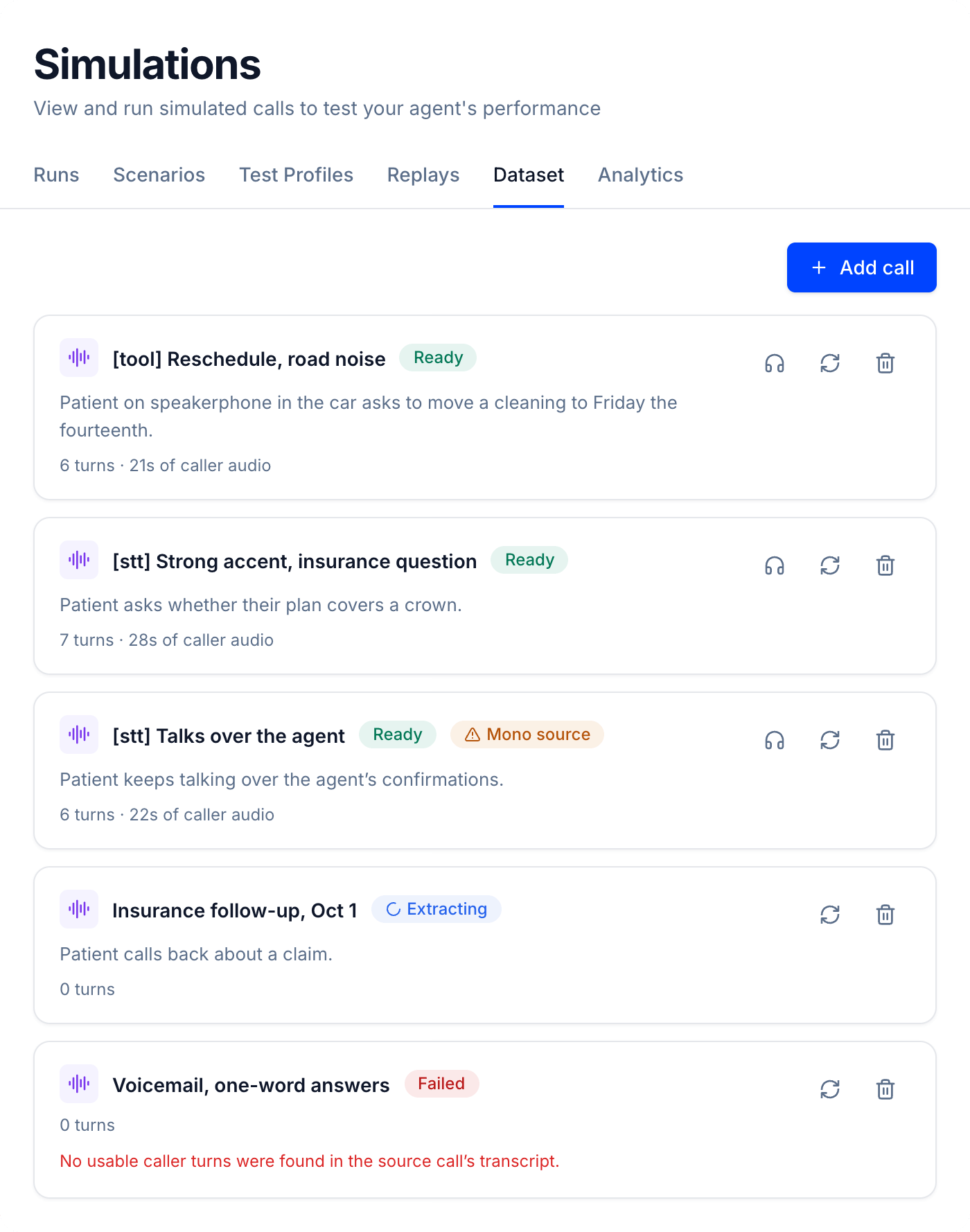
Why use a Dataset
Most teams use a Dataset for two things.Reproduce the call that failed
Prove your fix on the exact call that broke.- Save the call that failed, like a noisy line where your agent misheard a date.
- Replay it to see the failure, fix your agent, then replay it again.
- Keep it in your Dataset as a test, so the failure can’t quietly come back.
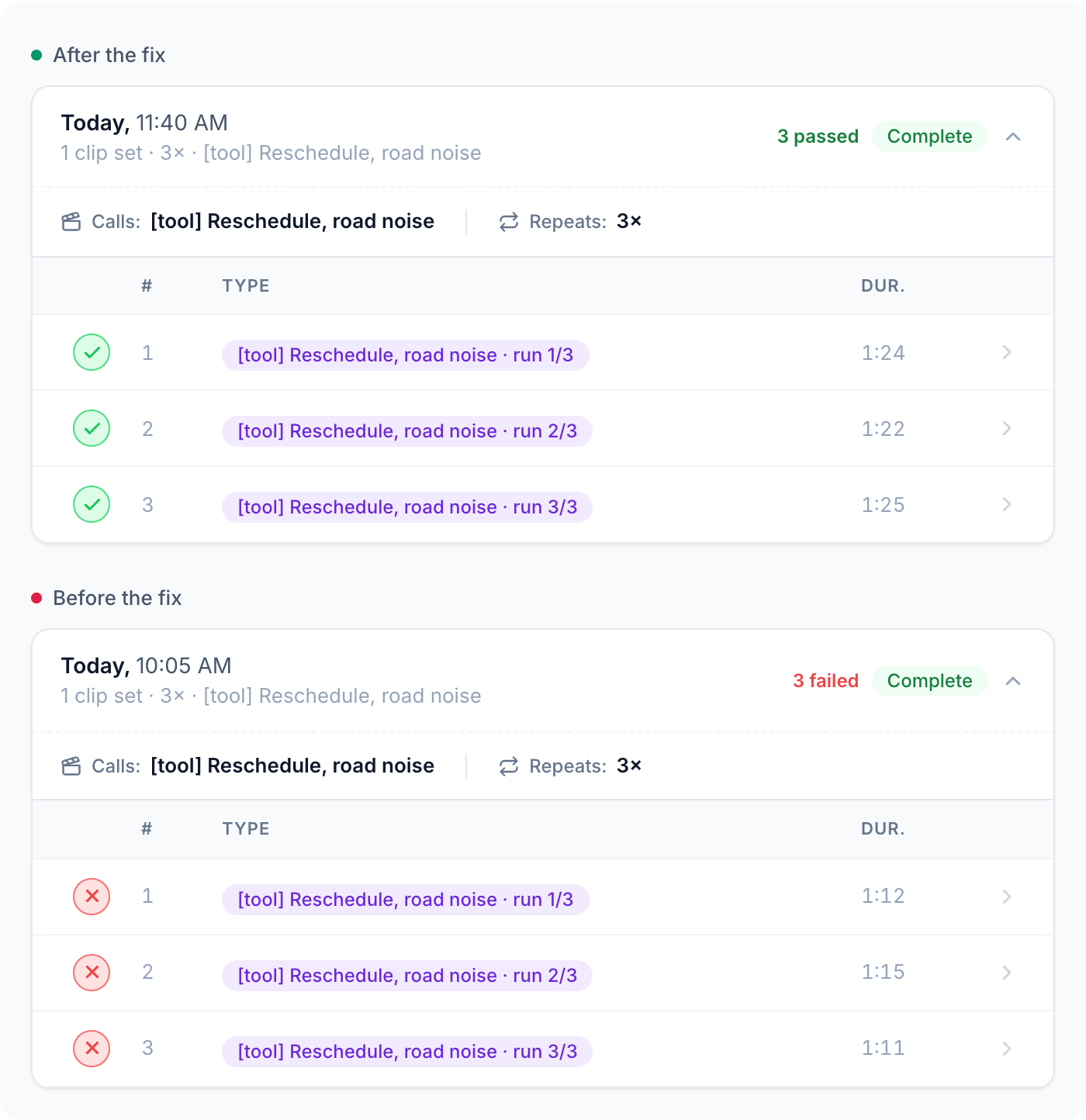
Capturing failures
From failure to verified fix, step by step.
Pick your stack on your own calls
Build your own benchmark to test a new model or provider on your callers before you switch.- Public benchmarks use generic audio, not your callers or your stack.
- Save your typical and hardest calls to your Dataset. That’s your benchmark.
- Replay it on your current setup and on the new one: same calls, same scoring, latency measured on every run.
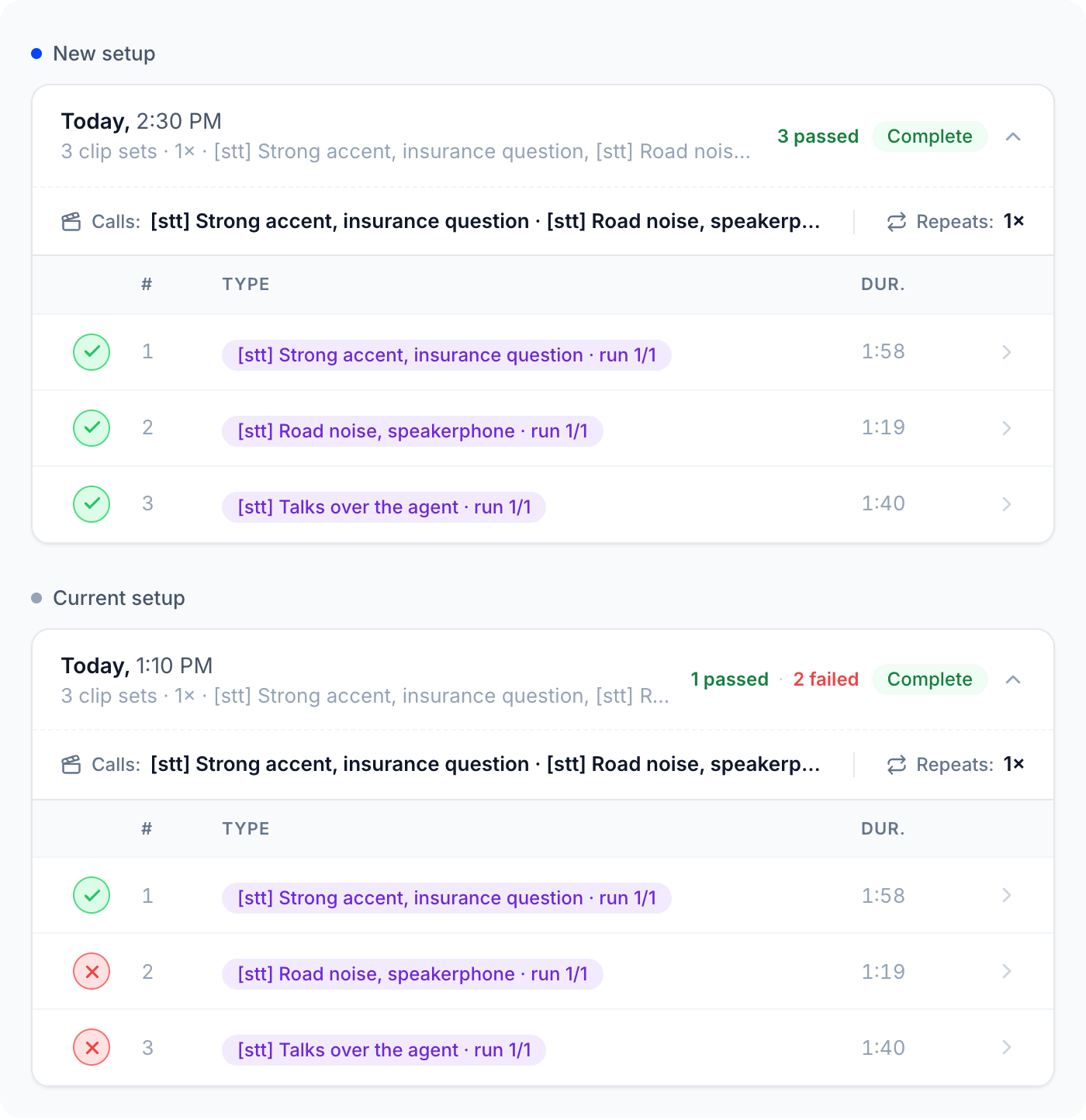
Benchmarking
How to build your benchmark and compare two setups.
How a Dataset works
Either way, you start with real calls in your Dataset.1
Add a Dataset call
Start on day one with your own calls, or use real calls Tuner recorded from your agent. Open Simulations > Dataset, click Add call, name it, and pick a source.
Upload your own calls
Audio recordings you already have, even before your agent takes any calls in Tuner. Stereo, 1.5 credits per minute.
Pick a production call
A real call your agent took that Tuner recorded, like one that just failed. Free.
2
Tuner extracts the caller
It keeps only the caller’s side, cut into caller turns. The call shows as Extracting, then Ready, usually within a minute.
3
Check the turns
Click the headphones icon to listen to each turn before you rely on the call.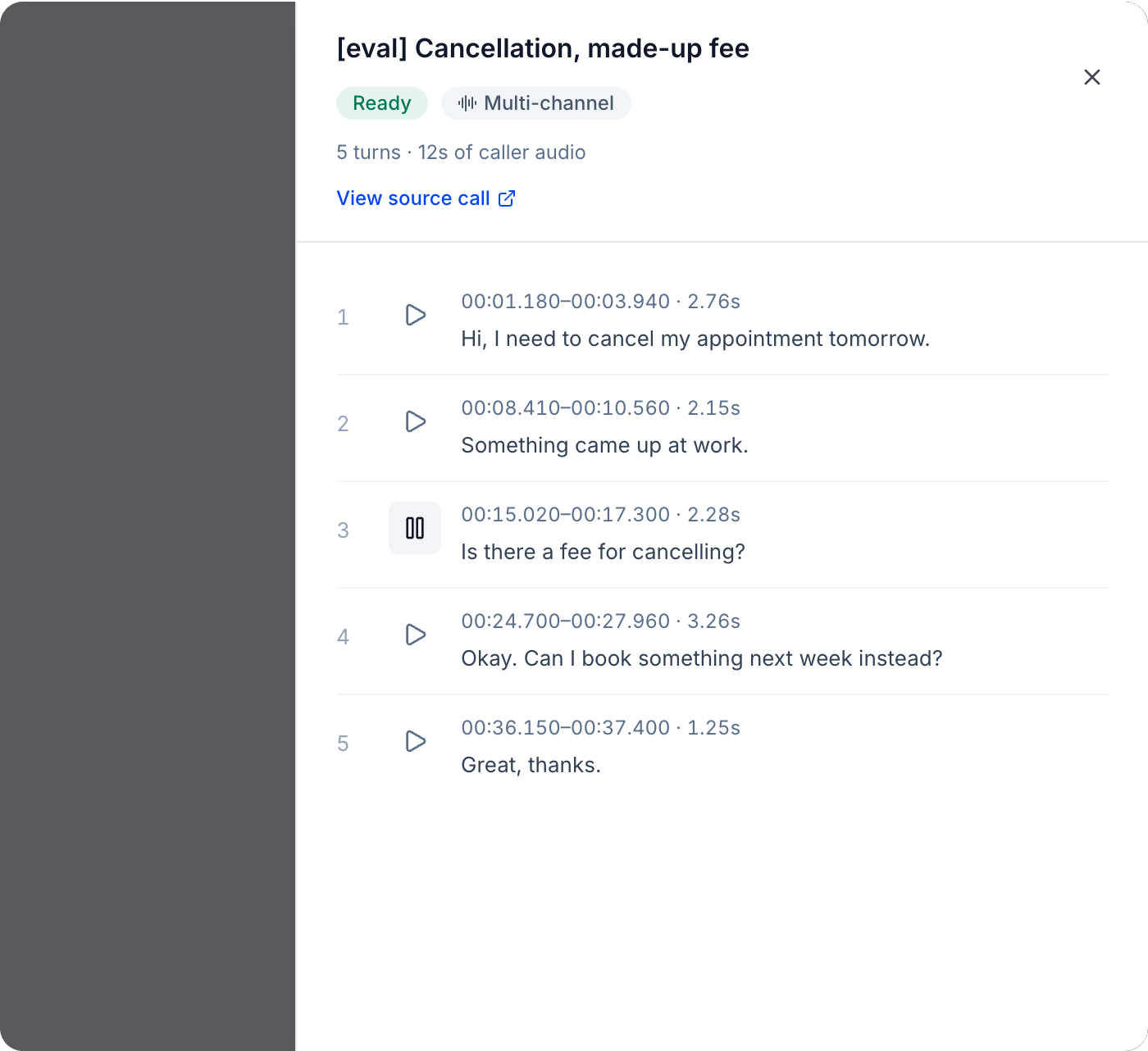
Add a Dataset call
Upload your own recording or pick a production call.
How a Dataset is used
Your Dataset is built. Now use it in a Replay, a separate feature under Simulations. Tuner calls your agent and plays back the caller turns, like a live call, then grades each call against your Pass/Fail evals and measures latency.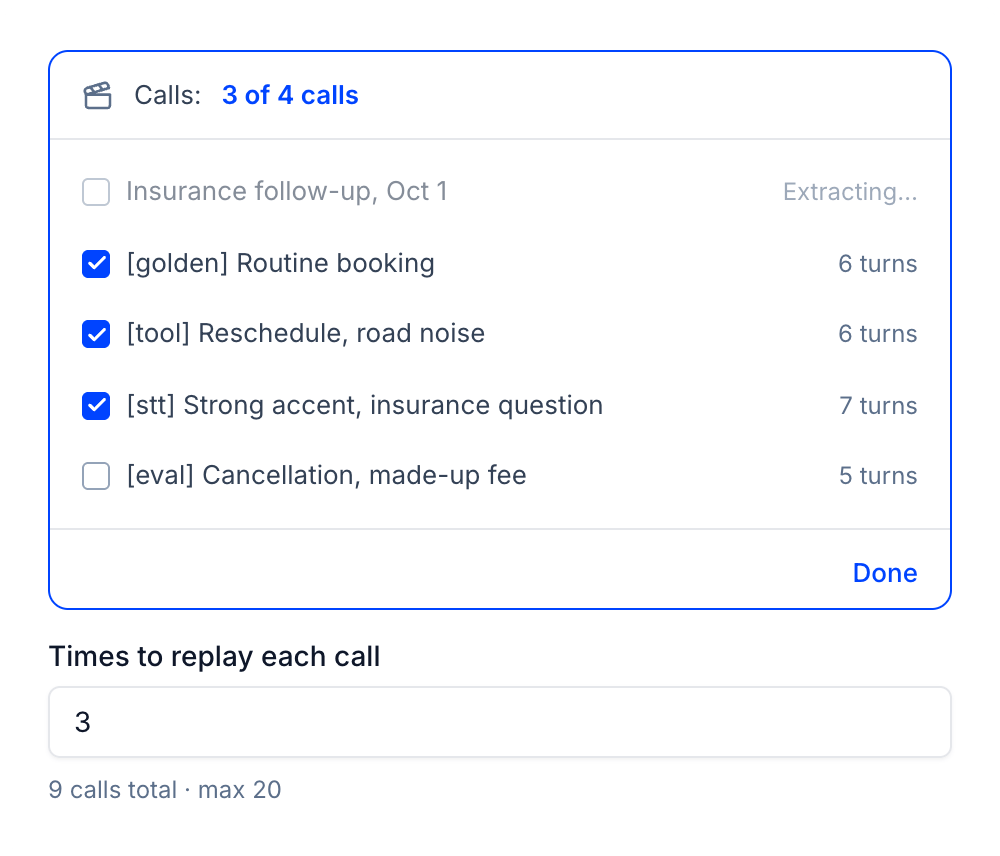
Replays
Run a replay, read the results, and compare runs.
FAQ
What's inside a Dataset call?
What's inside a Dataset call?
How is a Dataset different from generated simulations?
How is a Dataset different from generated simulations?
Found a failure in a generated run? Save its scenario to your library and run it again.
How should I choose and name calls?
How should I choose and name calls?
Start from a question each call answers, and add a prefix like [stt], [tool], or [eval] so related calls group together. See Dataset best practices.
Does adding a call cost credits?
Does adding a call cost credits?
Production calls are free. Uploads cost 1.5 credits per minute of audio, charged when the call is Ready. Replays use the standard simulation rate.
Can I edit a Dataset call?
Can I edit a Dataset call?
No, so every replay stays comparable. To cut a call differently, re-extract it, or upload the file again if it was an upload. The original stays as it is.
Which agents can replay a Dataset?
Which agents can replay a Dataset?
Inbound agents on Vapi, Retell, Dograh, LiveKit, Pipecat, or a Custom API integration. Outbound agents can’t replay calls yet.