

Overview
Every agent in Tuner can have one webhook URL, whatever its provider. Set it in Agent Settings > Webhooks, and Tuner sends events to it as they happen.Setup
1
Open your agent's webhook settings
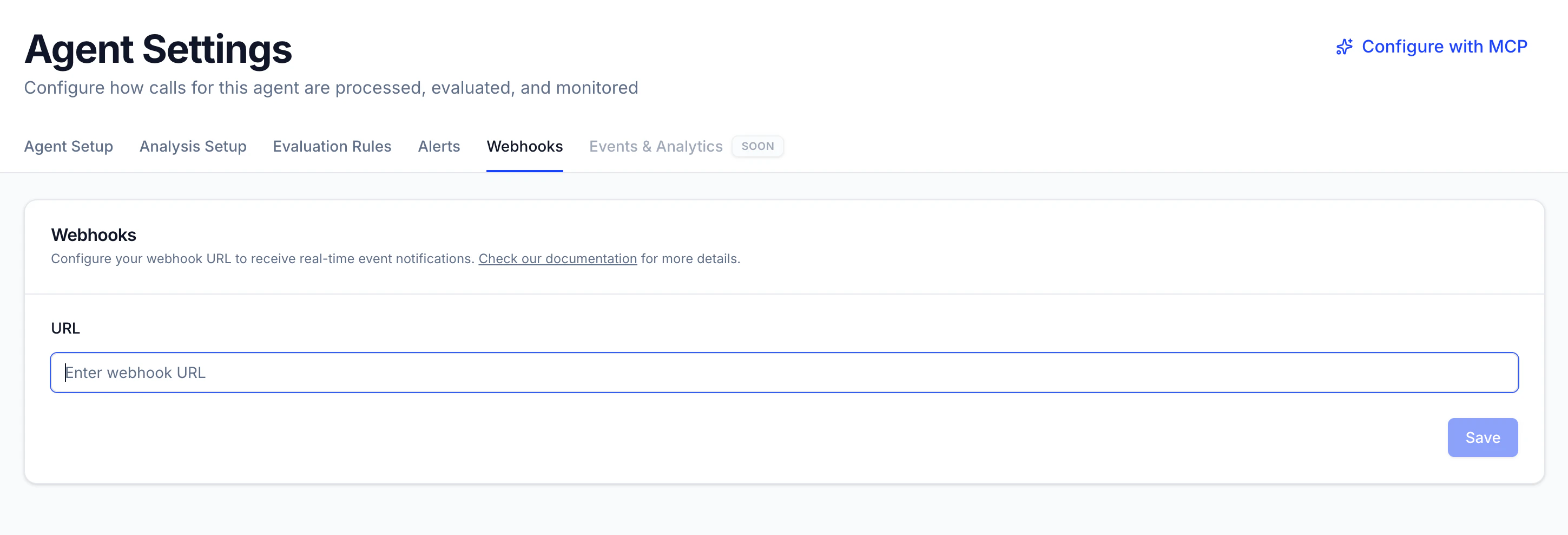
Select the agent in the sidebar, open Agent Settings and go to the Webhooks tab.
2
Enter your webhook URL
In URL, enter the endpoint that should receive events, for example your n8n, Zapier or custom server endpoint. See URL requirements.
3
Save
Click Save. Tuner starts sending events to your URL.
URL requirements
Tuner only delivers to URLs that meet all of these rules. If the URL breaks one, Tuner rejects it when you save, or skips delivery.Delivery
Tuner sends each event as an HTTPPOST with a JSON body. Your endpoint should return a 2xx status.
- A
2xxresponse marks the delivery as done. - A
404response is treated as done and is not retried. - Any other response, a timeout or a connection error counts as a failure, and the delivery is retried.
Headers
Every delivery includes these headers, so you can route an event before you parse the body:Event envelope
All events share the same envelope, so a single handler can process everything:event: the event type (call.analyzed,alert.firedorcall.received).event_id: the event type and the subject it’s about, joined by:. See the table below.created_at: ISO 8601 timestamp of when the event was created.payload: the event-specific data.call_id: the provider’s call ID. Only oncall.analyzed.
event_id is built from the event and its subject, so a retried delivery carries the same event_id. Store the IDs you’ve processed and skip repeats.
Event types
call.analyzed: call analysis complete
Sent for all providers once Tuner finishes analyzing a call. It’s sent once per call; re-running the analysis doesn’t send it again. The payload links to the call in Tuner, so you can route it into ticketing systems, QA queues or internal dashboards.
alert.fired: a real-time alert triggered
Sent for all providers when a real-time alert with the Webhook notification channel enabled fires. The payload includes the alert definition, the threshold and time window that were breached, and the call that triggered it.
call.received: provider event forwarding (Vapi and Retell only)
Vapi and Retell support a single webhook URL per agent. When you connect one of these agents to Tuner, Tuner takes that webhook slot, so an automation wired to it (an n8n workflow, a Zapier trigger, a custom server) stops receiving events from the provider.
To keep those automations running, Tuner forwards one provider event per call to your webhook URL as a call.received event:
The
payload field holds the provider’s original request body, unchanged. Update your handler to read payload instead of the request body root. If an automation relies on an event that isn’t forwarded, it won’t receive it through Tuner.
call.analyzed and alert.fired only.
Next steps
Configure real-time alerts
Create alerts and route them to email and your webhook.
Connecting to Retell
Connect your Retell agent and keep your existing webhook automations.