

The Action runs on Linux and macOS runners that have
npm. GitHub-hosted runners have it. Before you start, you need:- A Tuner API key.
- The agent’s Agent Remote ID.
- Inbound or outbound simulation set up for the agent.
- Scenarios with a shared tag, such as
smoke, in the Scenario Library.
Deploy first, then test
A simulation calls your agent as it is deployed at that moment, so a pull request tests nothing until its change is running. Tuner doesn’t deploy anything. Deploy the change to a staging agent in your own workflow, and addneeds: so the Tuner job waits for the deploy job. Use a separate Tuner agent for the staging deployment, so CI runs stay apart from your production runs.
Set up the Action
1
Add the API key as a secret
In your repository, go to Settings > Secrets and variables > Actions and add a repository secret named
TUNER_API_KEY.2
Add the agent as a variable
On the same page, add a repository variable named
TUNER_AGENT_ID with the staging agent’s Agent Remote ID.3
Copy a workflow
Copy Test after merge or Test on pull requests into
.github/workflows/, and replace the deploy step with your own.Test after merge
This workflow runs when a change reachesmain. It deploys to staging, then runs the simulations. If they pass, you can promote the change to production.
concurrency group is named after the agent, so GitHub runs one workflow for the agent at a time. An agent runs one simulation at a time, and a second workflow would otherwise fail with “agent already has a run in progress”.
A push to main has no pull request, so the Action posts no comment. The check and the job summary still appear, and the run records where it came from.
Test on pull requests
This workflow deploys the pull request’s branch to staging, then runs the simulations. Use it only if your team already deploys pull requests to staging.if: lines skip them.
What you see on GitHub
The Action turns the CLI’s exit code into the check and the comment:The job summary
The job summary has a title, such as “Tuner simulations: all 12 passed”, and a link to the run in Tuner. A failed run adds a table of its Scenarios and their results, up to 1,000 rows.The pull request comment
On pull request events the Action posts one comment for each agent and updates it on every push. It has the same content as the job summary, with up to 50 Scenario rows. When there are more than 50, failed ones come first and the table ends with “and N more”.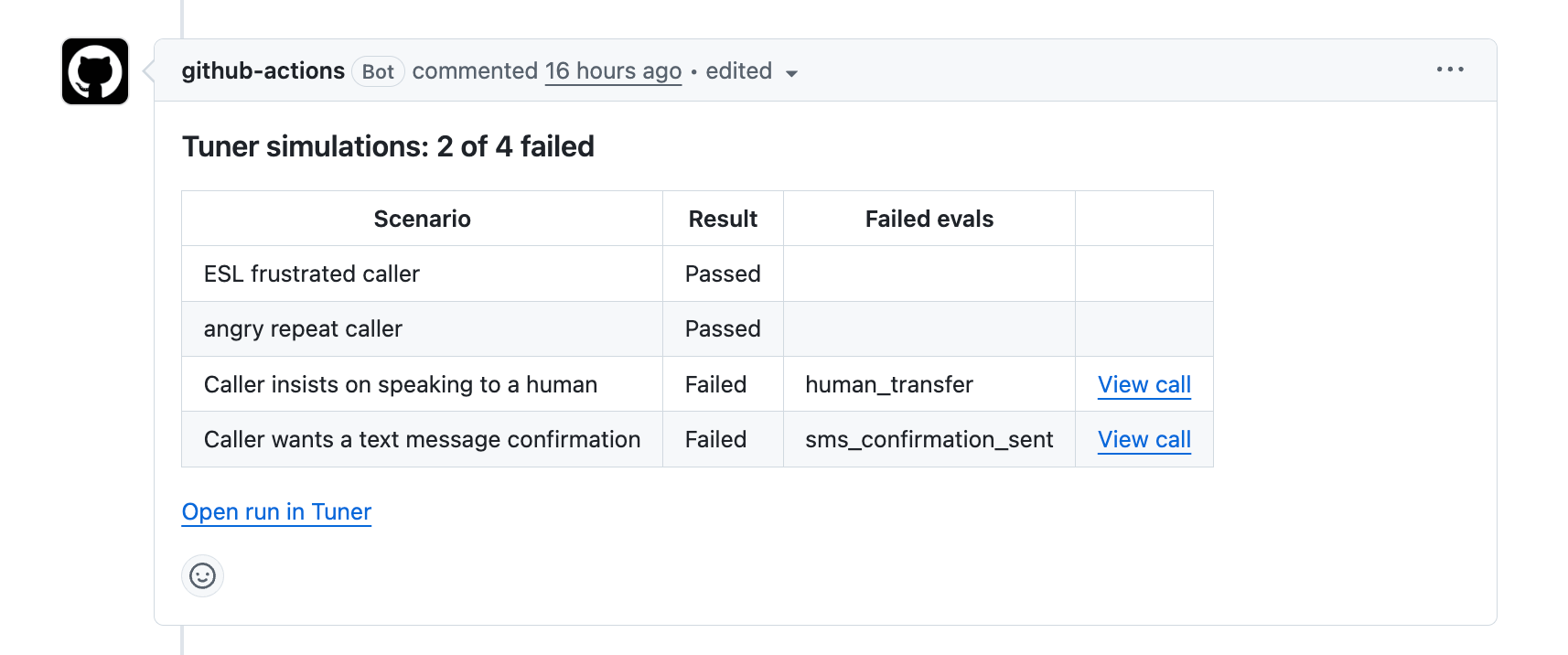
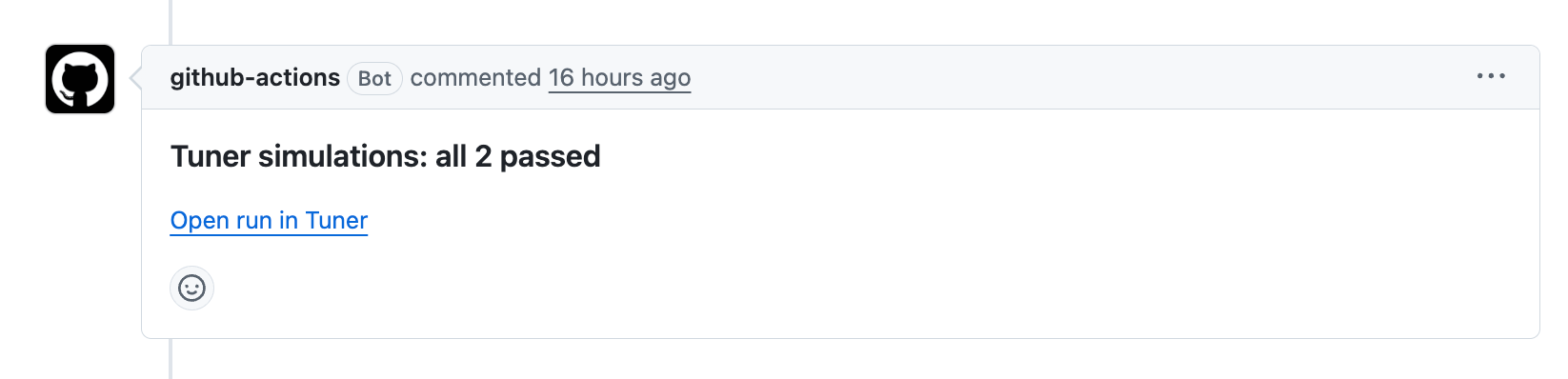
- With a warning, when the workflow lacks
pull-requests: writeor the pull request comes from a fork. - With a notice, when the pull request has a newer commit than the one the run tested.
The job summary and the comment show Scenario names, results and failed eval names only. Transcripts, audio and eval reasoning never reach GitHub.
Run metadata
The Action sends four metadata keys with the run, so the run shows which commit it tested. See See which commit a run tested.
Add your own keys with the
meta input, one key=value pair per line. A key that matches one above overrides it.
Troubleshooting
No Tuner API key provided
No Tuner API key provided
The Action found no key. Add
TUNER_API_KEY as a repository secret and pass it as api-key. Pull requests from forks get no secrets, so skip them with the if: lines above.Couldn't post the PR comment
Couldn't post the PR comment
Add
pull-requests: write under permissions: in the workflow.The check passed with a warning
The check passed with a warning
Tuner couldn’t finish the run, so the Action didn’t block your build. The warning names the reason. To fail the check in this case, set
fail-on-tuner-error: true.The agent already has a run in progress
The agent already has a run in progress
Another workflow is testing the same agent. Add the
concurrency group from the workflows above, or wait for the other run to finish.The run is still going after I canceled the job
The run is still going after I canceled the job
The Action passes the job’s stop signal to the CLI, which cancels the run. If a run is left behind, see Cancel a run.
Inputs
Set
tag or scenario, not both. For the language, noise and test profile values, see Set the language, noise and test profile.
Outputs
Give the step anid to read its outputs in a later step, as in steps.tuner.outputs.run-url.
Limits
Next steps
Other CI tools
Run the CLI in GitLab CI, CircleCI, Jenkins or any other pipeline.
CLI
Exit codes, JSON output and every command the Action runs for you.